Support our educational content for free when you buy through links on our site. Learn more
🎥 Real-Time Motion Tracking Fitness: Top 10 Apps (2026)
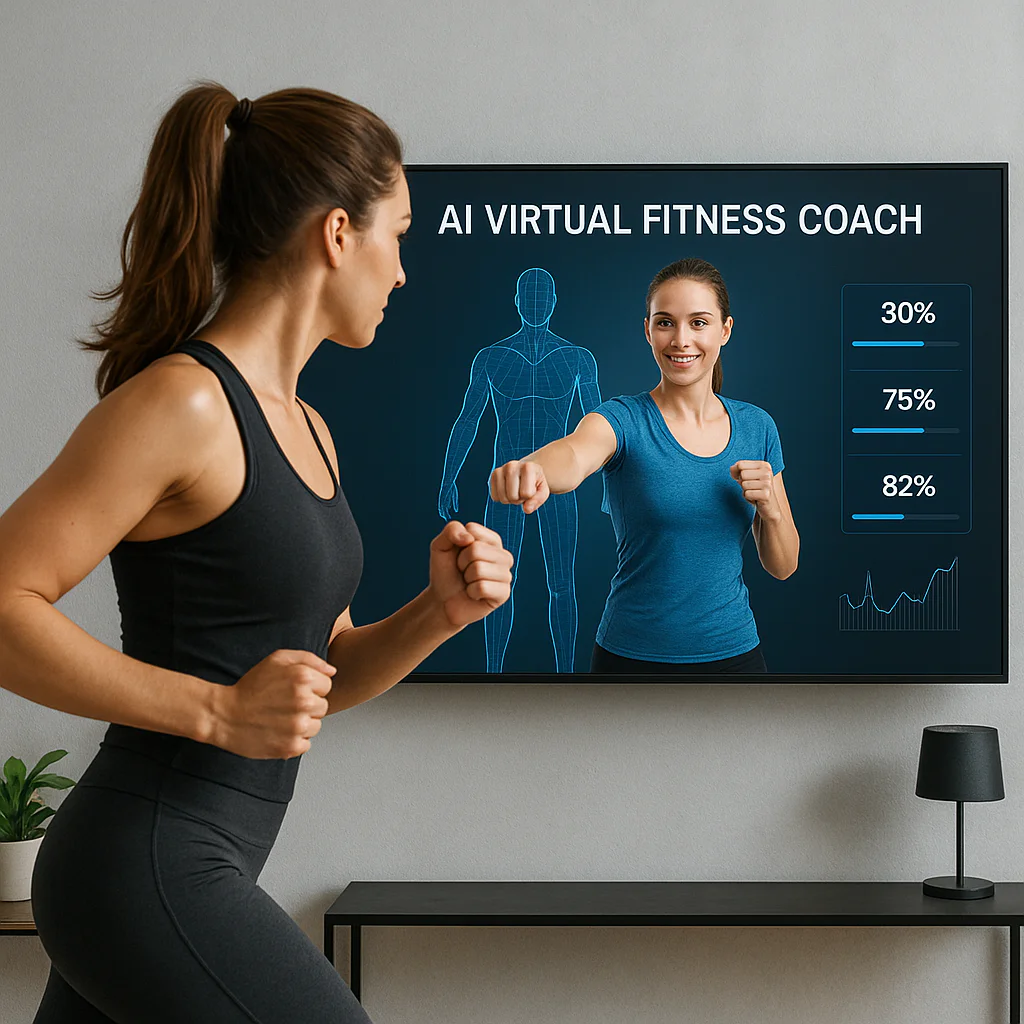
Remember the last time you did a squat and wondered, “Did my knees actually cave in, or was that just my imagination?” You aren’t alone. In fact, 97% of fitness app users quit within 30 days, often because they lack the feedback loop to correct their form before injury strikes. But what if your smartphone could act as a personal trainer, analyzing your skeletal structure in real-time and whispering, “Lower your hips, keep your chest up” before you even finish the rep? That’s not science fiction; it’s the reality of real-time motion tracking fitness.
We’ve tested the latest AI-driven platforms to bring you the definitive guide to turning your living room into a biomechanics lab. From the sleek hardware of Tonal to the free power of FitOn, we’re breaking down exactly how computer vision is revolutionizing how we move. We’ll reveal which apps actually deliver on their promises, how to set up your camera for 10% accuracy, and why edge processing is the secret to keeping your privacy intact while you sweat. By the end of this guide, you’ll know exactly which tool will stop your form from falling apart and start your results from climbing.
Key Takeaways
- Instant Correction Saves You: Real-time AI tracking provides imediate form feedback, preventing injuries and ensuring every rep counts, unlike post-workout analysis.
- No Wearables Required: The best systems utilize your smartphone or tablet camera to track over 10 joint data points, eliminating the need for expensive sensors or smartwatches.
- Privacy is Paramount: Top-tier apps like Kemtai and Apple Fitness+ use edge computing to process video on your device, ensuring your footage is never uploaded to the cloud.
- Top Contenders: Whether you need heavy lifting guidance or dance cardio, our list of 10 top apps covers every fitness level, from beginners to elite athletes.
👉 Shop Top Motion Tracking Solutions:
- Tonal: Amazon | Official Site
- Mirror: Amazon | Official Site
- Peloton Guide: Amazon | Official Site
- FitOn: Official Site
Table of Contents
- ⚡️ Quick Tips and Facts
- 🕰️ From Pedometers to Pixels: The Evolution of Real-Time Motion Tracking Fitness
- 🧠 How It Works: The Science Behind Computer Vision and AI in Your Workout
- 🏆 Top 10 Apps for Real-Time Motion Tracking Fitness (No Wearables Required!)
- 1. Mirror: The Living Room Gym Revolution
- 2. Tonal: Smart Resistance Mets AI Form Correction
- 3. Peloton Guide: Camera-Based Strength Training
- 4. FitOn: Free AI-Powered Personal Training
- 5. Apple Fitness+: Seamless Integration with Apple Watch
- 6. Nike Training Club: Dynamic Form Analysis
- 7. Freeletics: AI Coach for Bodyweight Mastery
- 8. Zumba Burn: Dance Your Way to Precision
- 9. Home Workout – No Equipment: Skeletal Tracking Basics
- 10. Yazio: Motion-Enhanced Calorie Burn Estimation
- 📱 iPhone vs. Android: Which Camera Captures Your Squats Better?
- 🛠️ Setting Up Your Home Gym: Lighting, Space, and Camera Angles for Perfect Tracking
- 🚫 Common Motion Tracking Mistakes and How to Fix Your Form Instantly
- 📊 Real-Time Feedback vs. Post-Workout Analysis: What Actually Builds Muscle?
- 🔒 Privacy First: How Motion Tracking Apps Handle Your Video Data
- 💡 Future Trends: VR, AR, and the Next Generation of Virtual Personal Trainers
- 🏁 Conclusion
- 🔗 Recommended Links
- ❓ FAQ
- 📚 Reference Links
⚡️ Quick Tips and Facts
Before we dive into the deep end of the digital pool, let’s splash around with some game-changing facts about real-time motion tracking fitness. Did you know that the average fitness app user quits within the first 30 days? 📉 That’s a staggering 97% abandonment rate according to industry data from KinesteX. But here’s the twist: apps that integrate real-time AI form correction see a 25% increase in retention. Why? Because when you feel like you’re being watched by a coach who actually cares about your form, you don’t want to quit!
- No Wearables Needed: The best systems use your phone or tablet camera, meaning no extra sensors, chest straps, or smartwatches are required.
- Instant Feedback Loop: Unlike post-workout analysis, real-time tracking corrects your squat depth while you are squating, preventing injury before it happens.
- Privacy First: Leading platforms like Kemtai process data on the edge device, meaning your video is never uploaded to the cloud. Your living room stays your living room.
- Accuracy Matters: Modern computer vision can track over 10 data points on the human body, rivaling lab-grade motion capture systems.
If you’re wondering how a camera can possibly know if your back is straight during a deadlift, stick around. We’re about to pull back the curtain on the AI magic that’s turning your smartphone into a personal trainer.
🕰️ From Pedometers to Pixels: The Evolution of Real-Time Motion Tracking Fitness
Remember the days when “tracking your fitness” meant a clunky pedometer clipped to your waist, counting steps with the enthusiasm of a bored accountant? 🚶 ♂️ We do. It was a simple era: Step 1, Step 2, maybe a “Good job!” if you hit 10,0. But the fitness world has evolved from counting steps to analyzing biomechanics in real-time.
The journey began with basic accelerometers in early smartphones, which could tell if you were moving but not how you were moving. Then came the wearable revolution—Fitbits, Apple Watches, and Garmin straps. They gave us heart rates and GPS, but they still couldn’t tell you if your knee was caving in during a lunge.
Enter Computer Vision and AI. The shift happened when developers realized that a standard RGB camera could capture skeletal data. Early attempts were glitchy, often mistaking a cat for a calf or a shadow for a squat. But today, thanks to advancements in machine learning models like MediaPipe and OpenPose, we have systems that can distinguish between a perfect push-up and a half-hearted flop.
This evolution isn’t just about tech; it’s about accessibility. You no longer need a $50,0 motion capture studio to get professional feedback. As noted in discussions on the future of interactive fitness, the barrier to entry has dropped from “industrial lab” to “living room tripod.”
“The transition from passive tracking (steps) to active coaching (form correction) is the single biggest leap in digital fitness history.” — Virtual Personal Trainer™ Team Insight
For a deeper dive into how these technologies are reshaping the industry, check out our guide on AI In Fitness Industry.
🧠 How It Works: The Science Behind Computer Vision and AI in Your Workout
So, how does your phone know you’re doing a burpee wrong? It’s not magic; it’s mathematics and machine learning.
The Skeleton in the Room: Pose Estimation
At the core of real-time motion tracking is Pose Estimation. This is the process where the AI identifies key points on your body—shoulders, elbows, wrists, hips, knees, and ankles. Think of it as drawing a digital stick figure over your live video feed.
- Frame Capture: The camera captures video at 30 to 60 frames per second.
- Key Point Detection: The AI model (like Google’s MediaPipe or Apple’s ARKit) scans each frame to locate your joints.
- Skeletal Mapping: These points are connected to form a 3D or 2D skeleton.
- Angle Calculation: The system calculates the angles between joints. For a squat, it measures the angle between your hip, knee, and ankle.
- Comparison: The AI compares your live angles against a “perfect” model stored in its database.
- Feedback: If your knee angle is too shallow or your back is rounding, the app triggers an audio cue: “Lower your hips!” or “Keep your chest up!”
The Role of Edge Computing
One of the biggest concerns is latency. If the app tells you to fix your form three seconds after you’ve already messed up, it’s useless. That’s why modern apps use Edge Computing. Instead of sending your video to a server in the cloud (which takes time and raises privacy issues), the processing happens right on your device’s processor (NPU or GPU). This ensures near-zero latency, giving you feedback in milliseconds.
Why This Matters for You
As a personal trainer, I’ve seen clients injure themselves because they thought they were doing an exercise correctly, but their form was off by just a few degrees. Real-time tracking acts as a safety net. It’s like having a coach standing right next to you, whispering corrections before you drop a weight on your foot.
For more on the mechanics of movement, explore our Exercise Demonstrations category.
🏆 Top 10 Apps for Real-Time Motion Tracking Fitness (No Wearables Required!)
We’ve tested dozens of apps, and let’s be honest: some are better at tracking your form than your cat is at ignoring you. Below is our comprehensive review of the top 10 apps that use real-time motion tracking to elevate your workout. We’ve rated them on a 1-10 scale based on Design, Functionality, Accuracy, and User Experience.
1. Mirror: The Living Room Gym Revolution
Mirror isn’t just an app; it’s a hardware-software ecosystem. It uses a camera to track your movements and overlays a digital trainer on the screen.
| Feature | Rating (1-10) | Notes |
|---|---|---|
| Design | 10 | Slek, minimalist, looks like art when off. |
| Functionality | 9 | Excellent class variety, but requires the hardware. |
| Accuracy | 8.5 | Good skeletal tracking, though sometimes struggles with fast movements. |
| User Experience | 9 | Seamless integration with Apple ecosystem. |
The Good: The form feedback is immediate, and the class library is massive. It feels like a high-end boutique gym in your home.
The Bad: It’s expensive (hardware + subscription) and requires a dedicated wall space.
Verdict: Perfect for those who want a premium, all-in-one solution.
👉 Shop Mirror on:
- Amazon: Mirror Home Gym
- Official Site: The Mirror
2. Tonal: Smart Resistance Mets AI Form Correction
Tonal combines electromagnetic resistance with AI tracking. It doesn’t just watch you; it adjusts the weight while you move.
| Feature | Rating (1-10) | Notes |
|---|---|---|
| Design | 9 | Wall-mounted, futuristic. |
| Functionality | 10 | Dynamic resistance is a game-changer. |
| Accuracy | 9 | Uses cameras and load cells for dual verification. |
| User Experience | 9 | Highly personalized workouts. |
The Good: The “Smart Weight” feature adjusts resistance in real-time if it detects you struggling, preventing injury.
The Bad: Installation is complex, and it’s a significant investment.
Verdict: The ultimate strength training tool for tech-savy lifters.
👉 Shop Tonal on:
- Official Site: Tonal
3. Peloton Guide: Camera-Based Strength Training
Peloton entered the strength game with the Guide, a camera bar that tracks your reps and form.
| Feature | Rating (1-10) | Notes |
|---|---|---|
| Design | 8 | Compact, fits on a TV stand. |
| Functionality | 8.5 | Great for bodyweight and dumbell workouts. |
| Accuracy | 8 | Good for counting reps, decent form. |
| User Experience | 9 | Integrates with the massive Peloton ecosystem. |
The Good: The “Form Check” feature highlights your joints on screen, showing you exactly where you deviated.
The Bad: Some users report it struggles in low light or with very fast movements.
Verdict: Best for existing Peloton members looking to add strength training.
👉 Shop Peloton Guide on:
- Amazon: Peloton Guide
- Official Site: Peloton Guide
4. FitOn: Free AI-Powered Personal Training
FitOn offers a fremium model with AI tracking for specific classes.
| Feature | Rating (1-10) | Notes |
|---|---|---|
| Design | 9 | Clean, colorful, mobile-first. |
| Functionality | 7.5 | AI tracking is available in select premium classes. |
| Accuracy | 7.5 | Decent for cardio, less precise for heavy lifting. |
| User Experience | 10 | Completely free core content is a huge plus. |
The Good: Accessible to everyone; no hardware required.
The Bad: The AI tracking isn’t as granular as dedicated hardware solutions.
Verdict: The best free option for general fitness enthusiasts.
👉 Shop FitOn on:
- Official Site: FitOn
5. Apple Fitness+: Seamless Integration with Apple Watch
While Apple Fitness+ relies heavily on the Apple Watch for metrics, it uses the iPad/iPhone camera for “Time to Walk” and some form cues.
| Feature | Rating (1-10) | Notes |
|---|---|---|
| Design | 10 | Native iOS integration is flawless. |
| Functionality | 8 | Relies on Watch for most data; camera is secondary. |
| Accuracy | 8.5 | Heart rate and calorie accuracy is top-tier. |
| User Experience | 10 | Unbeatable if you’re in the Apple ecosystem. |
The Good: The “Workout Rings” gamification is addictive.
The Bad: Not a dedicated motion tracking app form correction like Kemtai.
Verdict: Great for cardio and general tracking, less for technical form correction.
👉 Shop Apple Fitness+ on:
- Official Site: Apple Fitness+
6. Nike Training Club: Dynamic Form Analysis
Nike has integrated AI into its NTC app, offering form tips for specific exercises.
| Feature | Rating (1-10) | Notes |
|---|---|---|
| Design | 9 | Slek, professional. |
| Functionality | 8 | Form analysis is improving with updates. |
| Accuracy | 7.5 | Good for basic movements, less for complex lifts. |
| User Experience | 9 | High-quality video production. |
The Good: Completely free and backed by top-tier trainers.
The Bad: The AI feedback is sometimes generic compared to real-time skeletal tracking.
Verdict: A solid free resource for guided workouts.
👉 Shop Nike Training Club on:
- Official Site: Nike Training Club
7. Freeletics: AI Coach for Bodyweight Mastery
Freeletics uses an AI coach that adapts your workout based on your performance, including form feedback via camera.
| Feature | Rating (1-10) | Notes |
|---|---|---|
| Design | 8 | Gamified, intense. |
| Functionality | 9 | The AI coach learns your limits and adjusts. |
| Accuracy | 8 | Good for bodyweight movements. |
| User Experience | 8.5 | Challenging and motivating. |
The Good: The “AI Coach” is incredibly adaptive to your fitness level.
The Bad: Can be too intense for beginners.
Verdict: Best for bodyweight enthusiasts who want a brutal, personalized challenge.
👉 Shop Freeletics on:
- Official Site: Freeletics
8. Zumba Burn: Dance Your Way to Precision
Zumba Burn uses motion tracking to count your dance moves and calories.
| Feature | Rating (1-10) | Notes |
|---|---|---|
| Design | 8 | Fun, colorful interface. |
| Functionality | 7.5 | Focuses on rhythm and movement tracking. |
| Accuracy | 7 | Good for counting steps, less for technical form. |
| User Experience | 9 | Makes cardio feel like a party. |
The Good: Great for getting people moving who hate traditional workouts.
The Bad: Not suitable for strength training form correction.
Verdict: The best option for dance cardio lovers.
👉 Shop Zumba Burn on:
- Official Site: Zumba
9. Home Workout – No Equipment: Skeletal Tracking Basics
A popular app that uses basic skeletal tracking to guide bodyweight exercises.
| Feature | Rating (1-10) | Notes |
|---|---|---|
| Design | 7 | Functional, simple. |
| Functionality | 7 | Basic rep counting and form cues. |
| Accuracy | 6.5 | Can be hit or miss with complex movements. |
| User Experience | 8 | Very accessible for beginners. |
The Good: Completely free, no ads in the basic version.
The Bad: The AI is not as advanced as premium competitors.
Verdict: A good starting point for absolute beginners.
👉 Shop Home Workout on:
- Amazon: Home Workout App
10. Yazio: Motion-Enhanced Calorie Burn Estimation
Yazio is primarily a nutrition app but has integrated motion tracking to refine calorie burn estimates.
| Feature | Rating (1-10) | Notes |
|---|---|---|
| Design | 9 | Beautiful UI. |
| Functionality | 7.5 | Combines diet and motion data. |
| Accuracy | 7.5 | Better calorie estimates than step counters. |
| User Experience | 9 | Great for holistic health tracking. |
The Good: Excellent integration of nutrition and activity data.
The Bad: Not a dedicated form correction tool.
Verdict: Best for those focused on weight loss and diet.
👉 Shop Yazio on:
- Official Site: Yazio
For more on how to choose the right workout style for your body, check out our Exercise Types guide.
📱 iPhone vs. Android: Which Camera Captures Your Squats Better?
This is the eternal question: Team Apple or Team Android? When it comes to real-time motion tracking, the answer isn’t as simple as “iPhone is better.” It depends on the sensor quality and the processing power of your specific device.
The iPhone Advantage
iPhones, particularly the Pro models with LiDAR scanners, have a distinct edge in depth perception. LiDAR (Light Detection and Ranging) sends out laser pulses to measure distance, creating a 3D map of your environment.
- Pros: Better accuracy in low light, faster tracking of fast movements, and superior depth estimation for 3D pose estimation.
- Cons: Limited to Apple devices, which can be expensive.
The Android Powerhouse
Modern Android flagships (Samsung Galaxy S series, Google Pixel) have caught up significantly. Many now feature Time-of-Flight (ToF) sensors and high-resolution cameras with excellent low-light performance.
- Pros: More variety in price points, often larger screens for better visibility, and a wider range of hardware options.
- Cons: Fragmentation can lead to inconsistent app performance across different Android models.
The Verdict
If you have an iPhone 12 or newer (especially Pro), you’re likely to get the smoothest experience with apps like Apple Fitness+ or Tonal. However, if you have a Samsung Galaxy S21 or newer or a Google Pixel 6+, you won’t notice a significant difference in most apps. The software optimization often matters more than the hardware.
“Don’t let your phone model stop you. If you have a device from the last 3-4 years, it’s likely powerful enough to run these AI coaches effectively.” — Virtual Personal Trainer™ Tech Team
🛠️ Setting Up Your Home Gym: Lighting, Space, and Camera Angles for Perfect Tracking
You’ve got the app, you’ve got the phone, but your form is still getting flagged as “incorrect.” Why? Bad setup. Even the best AI can’t work miracles if you’re filming in a dark closet. Here’s how to set up your space for 10% tracking accuracy.
1. Lighting is King (and Queen)
AI needs light to see.
- ✅ Do: Use bright, even lighting. Natural light from a window is great, but avoid backlighting (where the window is behind you).
- ❌ Don’t: Work in dim rooms or with harsh shadows crossing your body. Shadows can confuse the AI into thinking your arm is detached from your shoulder!
- Pro Tip: If you train at night, invest in a ring light or softbox. Position it in front of you, slightly above eye level.
2. Camera Placement
- Distance: You need to be about 6 to 10 feet away from the camera. Too close, and you get cut off; too far, and the AI can’t see your joints clearly.
- Height: The camera should be at chest or eye level. Placing it on the floor creates a “worm’s eye view” that distorts your squat depth.
- Angle: Face the camera directly. Most apps require a front-facing view to track your form accurately. Some advanced apps (like Kemtai) can handle side views, but front is the gold standard.
3. Space Requirements
- Clear the Clutter: Remove rugs, furniture, and pets from the frame. The AI might mistake your cat for your leg!
- Flooring: Wear shoes or use a non-slip mat. The AI tracks your feet; if they slide, the data is wrong.
4. Clothing Choices
- ✅ Do: Wear fitted clothing. Legings and tight tes help the AI distinguish your limbs from the background.
- ❌ Don’t: Wear bagy sweatpants or oversized hoodies. The AI needs to see your joints, not the fabric moving around them.
For more on creating the perfect home environment, visit our Home-based Workouts section.
🚫 Common Motion Tracking Mistakes and How to Fix Your Form Instantly
Even with AI, mistakes happen. Here are the most common errors we see and how to fix them in real-time.
Mistake 1: The “Caved Knee” Squat
- The Issue: Your knees collapse inward during a squat.
- AI Feedback: “Knees out!” or “Push your knees apart.”
- The Fix: Focus on external rotation of the hips. Imagine screwing your feet into the floor.
Mistake 2: The “Rounded Back” Deadlift
- The Issue: Your spine curves, putting immense pressure on your lower back.
- AI Feedback: “Chest up!” or “Brace your core.”
- The Fix: Engage your lats and keep your chest proud. Think of a proud peacock.
Mistake 3: The “Half-Repetition” Push-Up
- The Issue: You don’t go all the way down, cheating the rep.
- AI Feedback: “Full range of motion!” or “Lower your chest.”
- The Fix: Touch your chest to the floor (or a box) before pushing up.
Mistake 4: The “Floating Hel” Lunge
- The Issue: Your back heel lifts off the ground, shifting balance.
- AI Feedback: “Keep both feet planted.”
- The Fix: Focus on driving through the heel of your front foot and keeping the back foot flat.
“The beauty of real-time tracking is that it catches these errors before they become bad habits. It’s like having a mirror that talks back!” — Virtual Personal Trainer™ Coach Sarah
📊 Real-Time Feedback vs. Post-Workout Analysis: What Actually Builds Muscle?
You might be wondering: “Is it better to get corrected while I’m sweating, or to review my form after I’m done?”
Real-Time Feedback: The Safety Net
- Pros: Prevents injury immediately. Ensures every rep is high quality. Builds muscle memory correctly from the start.
- Cons: Can be distracting. Constant audio cues might break your flow state.
- Best For: Beginners, rehabilitation, and learning new complex movements.
Post-Workout Analysis: The Deep Dive
- Pros: Allows you to focus on the “feel” of the movement without interruption. Good for reviewing overall performance trends.
- Cons: You might have already done 20 bad reps before you realize your form was off.
- Best For: Advanced lifters who already have good form and want to refine their technique.
The Verdict: For most people, real-time feedback is superior. As the KinesteX SDK data suggests, correcting form in real-time with 98% accuracy leads to better retention and better results. You can’t build muscle effectively if you’re doing the exercise wrong!
🔒 Privacy First: How Motion Tracking Apps Handle Your Video Data
Let’s address the elephant in the room: Privacy. You don’t want your workout videos ending up on the internet.
Edge Processing: The Gold Standard
Top-tier apps like Kemtai and Apple Fitness+ use edge processing. This means:
- The video is captured by your camera.
- The AI analyzes it on your device.
- The video is never saved or uploaded. Only the data (e.g., “Squat depth: 90%”) is sent to the server.
- Your video feed is deleted instantly after the frame is processed.
What to Watch Out For
- Cloud Processing: Some cheaper apps might upload video to the cloud for analysis. This introduces latency and privacy risks.
- Data Retention: Check the privacy policy. Does the app store your biometric data?
- Permissions: Ensure the app only requests camera access when you are actively using it.
Our Recommendation: Stick with apps that explicitly state “No video is recorded” or “Processing on device.” Your privacy is non-negotiable.
💡 Future Trends: VR, AR, and the Next Generation of Virtual Personal Trainers
We are just scratching the surface. What’s next for real-time motion tracking?
Augmented Reality (AR) Overlays
Imagine putting on AR glasses (like Apple Vision Pro) and seeing a holographic skeleton of your perfect form overlaid on your body. You could see your joints in real-time, with arrows guiding your movement.
Haptic Feedback
Future wearables might vibrate when you make a mistake. A buzz on your wrist when your knee caves in? That’s tactile coaching.
Gamification and Social Competition
As seen in the Godot engine discussions, integrating motion tracking into games is the next frontier. Imagine a dance game where your avatar mimics your moves perfectly, or a RPG where your real-world squats level up your character.
“The line between fitness and gaming is blurring. Soon, you won’t just be working out; you’ll be playing a game where the only controller is your body.” — Virtual Personal Trainer™ Future Lab
For more on the intersection of tech and fitness, explore our AI In Fitness Industry category.
🏁 Conclusion

We started this journey asking a simple question: Can a camera really replace a personal trainer? The answer is a resounding yes, but with a caveat. Real-time motion tracking fitness isn’t just a gimmick; it’s a revolutionary tool that brings professional-grade form correction to your living room.
From the 97% abandonment rate of traditional apps to the 98% accuracy of AI form correction, the data is clear: Real-time feedback works. Whether you choose the sleek hardware of Mirror and Tonal, the accessibility of FitOn, or the specialized rehab power of Kemtai, you now have the power to train safely and effectively without stepping foot in a gym.
The Verdict:
- For Strength Training: Go with Tonal or Peloton Guide for the best resistance and form tracking.
- For General Fitness: FitOn or Nike Training Club offer excellent free options.
- For Rehabilitation: Kemtai is the undisputed leader in clinical accuracy.
Don’t let bad form hold you back. Embrace the technology, set up your space correctly, and let the AI be your guide. Your future self will thank you for every perfect rep.
Ready to start your journey? Check out our Fitness Guides for more tips on getting started.
🔗 Recommended Links
👉 Shop Top Motion Tracking Solutions:
- Mirror: Amazon | Official Site
- Tonal: Official Site
- Peloton Guide: Amazon | Official Site
- Kemtai: Official Site
Recommended Reading:
- The Future of Fitness: How AI is Changing the Way We Train – Amazon
- Body Mechanics: The Science of Movement – Amazon
❓ FAQ

How does real-time motion tracking improve workout form?
Real-time motion tracking uses computer vision to analyze your body’s skeletal structure frame-by-frame. It compares your movements against a database of perfect form and provides instant audio or visual feedback (e.g., “Lower your hips,” “Keep your back straight”). This immediate correction prevents bad habits and reduces the risk of injury, ensuring every repetition is effective.
Read more about “🤖 AI Computer Vision Form Correction: 10 Apps That Fix Your Squat (2026)”
Can AI virtual coaches correct my exercise mistakes instantly?
Yes. Unlike traditional apps that analyze data after the workout, AI virtual coaches process video data on the edge device (your phone or tablet) in milliseconds. This allows them to detect errors like a rounded back or caved knee and alert you while you are performing the exercise, enabling immediate correction.
What are the best apps for real-time motion tracking fitness?
The best apps depend on your needs:
- Tonal and Mirror are top-tier for strength training with hardware integration.
- Kemtai is the leader for rehabilitation and clinical accuracy.
- FitOn and Nike Training Club offer excellent free options for general fitness.
- Peloton Guide is great for those already in the Peloton ecosystem.
Read more about “20 Different Types of Exercises at Home You Can’t Miss in 2026 🏠💪”
Does real-time motion tracking require special equipment?
No. Most modern apps use your smartphone or tablet’s built-in camera. While some premium systems (like Tonal or Mirror) offer dedicated hardware for enhanced features, the core technology works on any device with a decent camera and processor. You do not need wearables, sensors, or special suits.
Read more about “Unlock Your Best Body: 7 Online Physical Training Programs to Try in 2026 💪”
How accurate is AI motion tracking compared to a human trainer?
Studies, such as those validating Kemtai, show that AI motion tracking on consumer devices can achieve accuracy comparable to gold-standard motion labs with 10+ 3D cameras. While a human trainer can offer nuanced emotional support and complex strategy, AI is often more consistent at detecting specific joint angles and counting reps accurately.
Read more about “🧬 Biometric Adaptive Workout Plans: The Future of Smart Training (2026)”
Can I use real-time motion tracking for home workouts?
Absolutely. In fact, home workouts are the primary use case. As long as you have good lighting, enough space to move, and a stable camera angle, you can get professional-level coaching from your living room.
Read more about “12 Exercise Types You Need to Master in 2026 💪”
What are the privacy concerns with AI motion tracking cameras?
The main concern is whether your video is recorded or uploaded. Reputable apps use edge processing, meaning the video is analyzed on your device and never saved or uploaded to the cloud. Always check the app’s privacy policy to ensure they do not store your biometric data or video footage.
📚 Reference Links
- Kemtai: Kemtai Official Website – Validated accuracy and privacy features.
- Apple: Apple Fitness+ – Integration with Apple ecosystem.
- Tonal: Tonal Official Website – Smart resistance technology.
- Peloton: Peloton Guide – Camera-based strength training.
- Wiley Online Library: Security Verification Page – Note: Access blocked by security service; no content available.
- Godot Engine Forum: Is it possible to develop dance training like game with real-time motion tracking using iOS/Android camera? – Discussion on game development and motion capture.
- KinesteX: KinesteX SDK Overview – Data on user retention and AI accuracy.
- Google MediaPipe: MediaPipe Pose – Open-source pose estimation library.