Support our educational content for free when you buy through links on our site. Learn more
Virtual HIT Workout Generators: Build Better Intervals ⚡
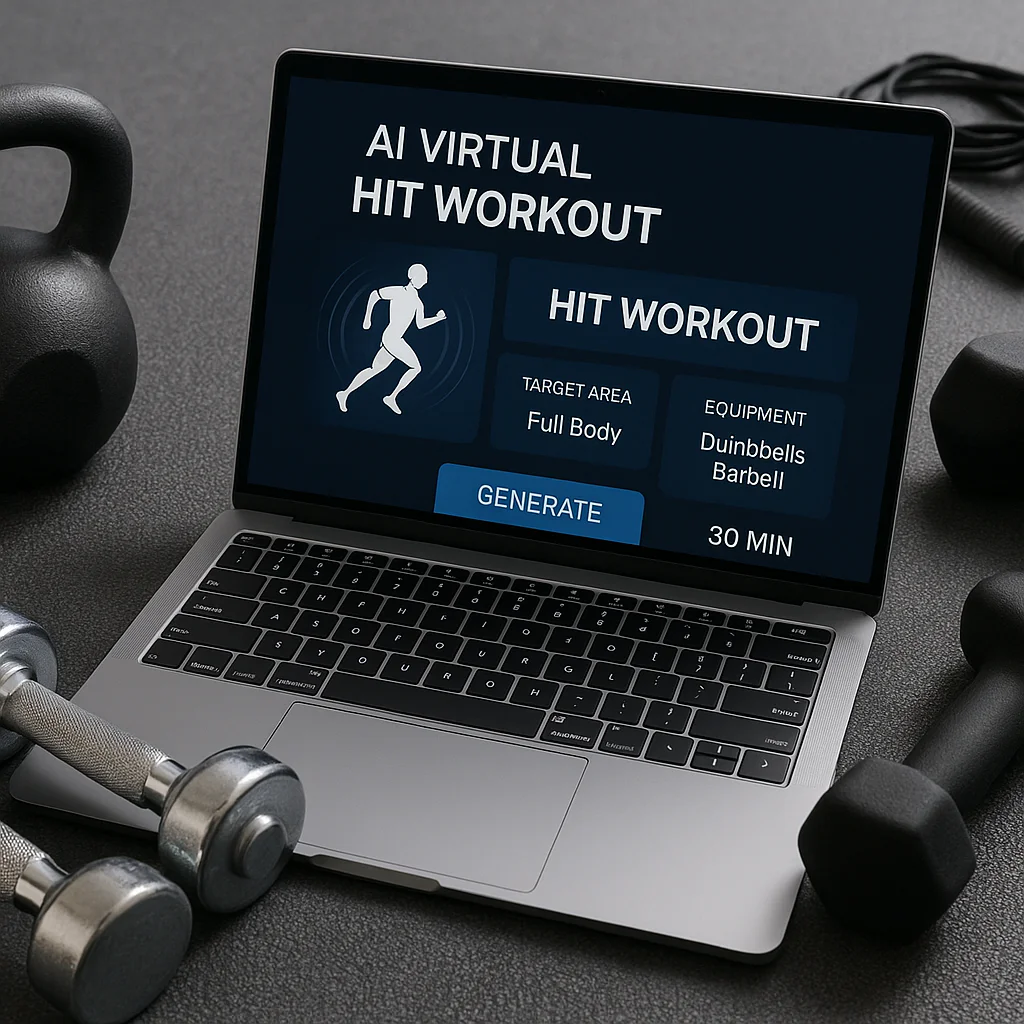

Virtual HIT workout generators can quickly create interval sessions, but the best results come from choosing sensible settings and reviewing the exercises before you start. Use them as workout-planning tools—not automatic coaches—and adjust the intensity, rest, and movements to fit your experience.
We’ve seen a simple generator rescue more than one “I’ll work out after I decide what to do” afternoon. A few taps later, the plan is ready; the smart move is still to swap an unfamiliar exercise or extend recovery when your form starts to woble.
HIT isn’t one fixed workout, either. Research reviews find interval training can improve cardiorespiratory fitness, but the right approach depends on the person and the protocol—not just a countdown timer.
Key Takeaways
- Virtual HIT workout generators save planning time by assembling exercises, intervals, and rounds.
- Review the workout before starting. Randomized selections may not match your equipment, experience, or needs.
- Customize work and rest periods so you can maintain controlled technique and recover between efforts.
- Start with familiar movements and manageable intensity. Add difficulty gradually rather than chasing the toughest setting.
- A generator is not a personal coach or medical assessment. Stop for pain or concerning symptoms, and seek professional advice when needed.
Table of Contents
- ⚡ Quick Tips and Facts
- 🧠 What Are Virtual HIT Workout Generators?
- How HIT workout generators create interval sessions
- A brief history of digital HIT training
- 🏋️ The Best Virtual HIT Workout Generators and Platforms
- Generator tools, fitness apps, and online workout builders
- Free versus paid HIT workout generators
- 🔍 What to Look for in a HIT Workout Generator
- Exercise variety, customization, and workout levels
- Timers, audio cues, and app-like features
- Privacy, accessibility, and device compatibility
- 🎯 How to Choose Your Workout Options
- Set your fitness level, goals, and available time
- Choose equipment, training space, and exercise type
- Select work intervals, rest periods, and rounds
- 🎲 How to Generate a Randomized HIT Workout in 3 Steps
- Step 1: Choose your workout settings
- Step 2: Draw exercises and review the sequence
- Step 3: Start your workout and adjust as needed
- 📋 15 Types of HIT Workouts You Can Generate
- Bodyweight HIT and no-equipment workouts
- Dumbell and resistance-training intervals
- Low-impact, beginner-friendly, and joint-conscious sessions
- Cardio, Tabata, EMOM, and circuit workouts
- Sport-specific and full-body HIT sessions
- ⏱️ HIT Work-to-Rest Ratios Explained
- How long should HIT intervals and rest periods be?
- Tabata versus traditional HIT intervals
- ✅ How to Use a Virtual HIT Generator Safely
- Warm-ups, cool-downs, and exercise technique
- Scale intensity and respect your limits
- When to stop and when to consult a health professional
- 📈 How Often to Do HIT and Track Your Progress
- Build a balanced weekly training plan
- Measure effort, recovery, and fitness improvements
- 📱 Save a Workout Generator to Your Home Screen
- Create an app-like experience on iPhone and Android
- 🛠️ Common HIT Generator Problems and Fixes
- 🏁 Conclusion
- 🔗 Recommended Links
- ❓ FAQ
- Are virtual HIT workout generators free?
- Can a workout generator create a personalized HIT plan?
- Are random HIT workouts effective?
- How long should a generated HIT workout last?
- Can beginners use HIT workout generators?
- What equipment do I need for a virtual HIT workout?
- How many times a week should I do HIT?
- 📚 Reference Links
Quick Tips and Facts
- Virtual HIT workout generators create interval-based sessions from adjustable settings, exercise libraries, or randomized exercise selections. They can make planning faster, but they cannot guarantee that every generated workout suits your body, ability, or goals.
- First, a quick terminology check: the standard acronym is HIT, for high-intensity interval training. Some generator pages spell it “HIT”; we’ll use HIT here, while preserving product names where applicable.
- Start with your available movements and comfort level—not the generator’s most punishing setting. A timer can count seconds; it cannot check your squat form.
- For context on workout styles, see our guide to different exercise types. For a beginner-friendly starting point, browse our fitness guides and bodyweight exercise resources.
- HIT is a training format, not a magic fat-loss button. A review in the British Journal of Sports Medicine found interval training can improve cardiorespiratory fitness, but outcomes depend on the program and the person.
- No equipment? Choose bodyweight exercises. Training with gear? Filter movements to match what you own and know how to use.
- Pain is a stop signal, not a motivational soundtrack. Modify or stop if you experience sharp pain, dizziness, chest discomfort, or unusual shortness of breath.
- A short session can still be challenging. “More rounds” is not automatically “more effective”; recovery and repeatability matter, too.
| Quick fact | What it means for you |
|---|---|
| HIT alternates harder work with recovery | Intervals can be adapted to many fitness levels |
| Generators may randomize movements | Review the workout before pressing Start |
| A timer can improve pacing | It does not replace technique coaching |
| Rest is part of the workout | Use it to recover enough for safe, controlled effort |
| Progress should be measurable | Track consistency, interval settings, and how hard a session feels |
🧠 What Are Virtual HIT Workout Generators?
A virtual HIT workout generator is a website or app that assembles an interval workout based on options such as training time, exercises, work-rest periods, equipment, and rounds. Some tools create a random circuit; others provide prebuilt workouts, timers, coaching cues, or progress tracking.
The simplest version is a digital deck of exercise cards paired with a stopwatch. More advanced apps add demonstrations, training plans, reminders, and workout logs. Neither kind can automatically know whether you slept poorly, have a sore knee, or are brand-new to burpees—unless you tell it, and even then, its advice is only as good as its design.
How HIT workout generators create interval sessions
A generator typically combines four ingredients:
- Exercise selection: The tool chooses from its library or lets you choose movements.
- Interval structure: You set work time, recovery time, and sometimes the number of rounds.
- Workout duration: The app estimates total time from the intervals, transitions, and rounds.
- Delivery: A timer, audio signal, animation, or on-screen instruction helps you follow the sequence.
Some tools, such as HIT Generator, emphasize choosing options, drawing exercises, and starting the session. HIT ME takes a simpler approach: enter a workout duration, and it randomly selects a no-equipment routine.
That convenience is useful—especially when the hardest exercise of the day is deciding what to do. But random selection can also produce an awkward sequence, such as several demanding leg exercises in a row. Check the workout before you begin, and redraw or substitute anything that feels unsuitable.
A brief history of digital HIT training
Interval training predates smartphones, but digital timers and workout apps made it easier to follow structured work-rest patterns without watching a clock. Today’s online tools range from lightweight browser generators to larger platforms such as Nike Training Club and Freeletics, which combine workouts with varying levels of instruction and personalization.
The key change is convenience, not a new law of physiology. A generated workout still needs sound programming, sensible progression, and a user who can scale the effort. We’ve seen people get more consistent simply because their workout was ready when they were—but the best app is the one whose plan you can safely repeat.
🏋️ The Best Virtual HIT Workout Generators and Platforms
There isn’t one universal winner. A simple generator can be excellent if you want a quick, customizable circuit; a coached app may suit you better if you need demonstrations and structured plans.
| Tool or platform | Best for | Notable strengths | Considerations |
|---|---|---|---|
| HIT Generator | Randomized interval circuits | Adjustable rounds, exercise count, and work-rest settings | Review exercise selections and confirm current features on the site |
| HIT ME | Quick no-equipment sessions | Enter a duration; generates random exercises | The site provides limited detail about its exercise library and tracking |
| Nike Training Club | Guided workouts | Coach-led instruction and workout variety | Not every session is a customizable random generator |
| Freeletics | Structured app-based training | Workout guidance and training features | Personalization and features may depend on the app experience |
| Seconds Interval Timer | Timing a workout you designed | Flexible interval-timer approach | You generally need to choose the workout yourself |
Our practical recommendation: use a generator for convenience, then apply your own judgment. If you want instruction, choose a platform with clear exercise demonstrations. If you want a simple timer, a dedicated interval app may be plenty.
Generator tools, fitness apps, and online workout builders
These categories overlap, but they’re not identical:
- Workout generators assemble exercises and intervals, often randomly.
- Interval timers count down work and rest; you supply the exercise plan.
- Training apps may provide coaching, programs, demonstrations, and progress tracking.
- Online workout builders let you construct and save a session manually.
For technique help, check our exercise demonstrations. If you’re curious about how intelligent software is being used in training, explore AI in fitness.
Free versus paid HIT workout generators
“Free” can mean a free browser tool, a free app tier, or a trial with some features restricted. Check the current product listing for details rather than relying on an old review or a remembered feature list.
| Feature to compare | Why it matters |
|---|---|
| Exercise library | More movements can add variety, but variety alone doesn’t ensure good programming |
| Customization | You may need to exclude jumping, equipment, or specific exercises |
| Demonstrations | Videos or clear instructions help you learn unfamiliar movements |
| Workout saving | Useful if you want to repeat a session and track progress |
| Data handling | Review the app’s privacy policy before sharing health or activity data |
| Accessibility | Captions, adjustable audio, readable text, and simple controls can improve usability |
User testimonials can tell you whether an app feels motivating or easy to use, but they are individual experiences, not proof that a program is safe or effective for everyone. For example, one person may love random workouts while another prefers a repeatable plan. Look for recent store reviews and note the date, device, and version; app features can change.
🔍 What to Look for in a HIT Workout Generator
Choose a tool that makes it easy to adapt the workout before, during, and after the session. A flashy timer is nice; a clear way to remove painful or unsuitable exercises is more useful.
Exercise variety, customization, and workout levels
A solid generator should offer more than a long exercise list. It should help you filter by:
- Experience level: beginner, intermediate, or advanced options
- Impact: jumping or low-impact alternatives
- Equipment: no equipment, dumbells, resistance bands, or other gear
- Movement pattern: squat, hinge, push, pull, carry, or core work
- Body area or workout focus: full body, upper body, lower body, or conditioning
An exercise label like “beginer” isn’t a guarantee that a movement fits you. A modified push-up may be appropriate for one beginner; another may need a wall push-up first. Choose options you can perform with control.
Timers, audio cues, and app-like features
Useful conveniences include:
- Adjustable work, rest, and transition times
- Clear countdowns and audible interval alerts
- Pause, skip, or extend-rest controls
- Exercise demonstrations or written technique cues
- A visible session summary
- The ability to save or repeat a workout
The HIT Generator describes a browser-based, app-like experience that can be added to a home screen. That can make access quicker, but a home-screen shortcut isn’t the same as offline access or a native app. Test the tool on your device before relying on it for a workout away from reliable internet.
Privacy, accessibility, and device compatibility
Before you create an account or connect a fitness tracker, check:
- What personal or health data the app collects
- Whether it connects to platforms such as Google Fit or Apple Health
- Whether you can use the core timer without sharing unnecessary details
- If instructions are readable and understandable without sound
- Whether it works on your phone, browser, or wearable
A generator does not need your full medical history to set a 20-second interval. Share only what’s needed, and consult the platform’s privacy information if you plan to sync health data.
🎯 How to Choose Your Workout Options
The best settings are the ones that let you move well and recover enough to repeat good-quality efforts. Here’s how we help clients turn a “random workout” into a more thoughtful one.
Set your fitness level, goals, and available time
Ask yourself three questions:
- What can I do comfortably today? Choose movements you already know, or select a lower-impact variation.
- What do I want this session to support? Conditioning, general fitness, or a short movement break are different goals.
- How much time do I actually have? Include warm-up, cooldown, and transitions—not just the advertised interval block.
If you have a medical condition, are returning from injury, or are unsure whether vigorous exercise is suitable, ask a qualified health professional for guidance. The American Heart Association’s exercise guidance is a useful general resource, but it isn’t individualized medical advice.
Choose equipment, training space, and exercise type
Before generating a session, check that:
- Your floor is stable and not slippery.
- You have room to step, lunge, or extend your arms.
- Any equipment is secure and familiar.
- The exercise list matches what you can safely access.
No equipment? Pick movements such as step-backs, controlled squats, or incline push-ups. With dumbells, use a manageable load and avoid movements you haven’t learned just because the app has added them to your circuit. Our bodyweight exercise collection and exercise demonstrations can help you find suitable variations.
Select work intervals, rest periods, and rounds
A generator may allow you to set a work-rest ratio, but there’s no single ratio that suits everyone. Shorter work intervals and longer recoveries can make a session more manageable; experienced exercisers may choose a more demanding structure.
| Setting | Easier starting point | More demanding choice | Adjustment cue |
|---|---|---|---|
| Work interval | Short enough to keep good form | Longer efforts | Stop or scale if technique breaks down |
| Recovery | Long enough to regain control | Shorter rests | Extend rest if you can’t speak comfortably after the effort |
| Rounds | A small number of repeatable rounds | More total rounds | Add volume gradually, not all at once |
| Exercise choice | Familiar, low-impact options | More complex or explosive movements | Learn the movement before adding speed |
These are selection principles, not a prescription. A generator’s default settings are not automatically right for your fitness level. Start conservatively, then adjust one variable at a time.
🎲 How to Generate a Randomized HIT Workout in 3 Steps
The competing HIT Generator presents a straightforward sequence: choose options, draw exercises, then start. We like the simplicity, with one addition: review the plan before you launch into it.
Step 1: Choose your workout settings
Set:
- Number of exercises per round
- Number of rounds
- Work and rest intervals
- Available equipment
- Exercise types or movements you want to exclude
Choose settings that leave room for warm-up and cooldown. If the tool offers exercise filters, remove anything you can’t perform safely or comfortably.
Step 2: Draw exercises and review the sequence
Once the tool selects movements, check:
- Do you understand every exercise?
- Are there several high-impact movements back to back?
- Does the workout rely on equipment you don’t have?
- Can you modify a movement without compromising safety?
If the sequence looks unbalanced, redraw it, change the filters, or substitute a familiar movement. Random isn’t the same as personalized. It can be a fun way to break decision fatigue, but it shouldn’t overule your judgment.
Step 3: Start your workout and adjust as needed
Do a brief warm-up, place your device where you can see or hear it, and start at a controlled pace. Pause when needed. You do not earn bonus points for obeying a timer while your form falls apart.
A simple session flow:
- Warm up with easy movement and mobility.
- Complete the generator’s intervals at an effort you can control.
- Extend recovery or choose a lower-impact option when needed.
- Cool down gradually.
- Record how the session felt and any adjustments you made.
📋 15 Types of HIT Workouts You Can Generate
A generator may offer dozens of exercise names, but the useful question is: What kind of session fits your goals, equipment, and experience? Here are 15 common workout styles to look for or build.
| # | Workout type | Typical focus | Useful consideration |
|---|---|---|---|
| 1 | Bodyweight circuit | General strength and conditioning | Choose movements you can control |
| 2 | No-equipment cardio intervals | Cardiovascular effort | Include low-impact alternatives |
| 3 | Low-impact HIT | Conditioning with reduced jumping | Low-impact can still be challenging |
| 4 | Beginner intervals | Learning pacing and consistency | Keep movements simple and rests generous |
| 5 | Dumbell circuit | Resistance training with timed intervals | Select a load you can handle with stable form |
| 6 | Resistance-band intervals | Strength and movement control | Check the band for wear and secure anchors |
| 7 | Lower-body circuit | Squat, lunge, and hinge patterns | Avoid stacking fatigue-heavy leg exercises without recovery |
| 8 | Upper-body circuit | Push, pull, and shoulder work | Balance pushing with pulling where equipment allows |
| 9 | Core-focused intervals | Trunk endurance and control | Core training is more than rapid sit-ups |
| 10 | Full-body conditioning | Multiple movement patterns | Plan transitions and maintain technique |
| 11 | Tabata-style intervals | Short, structured efforts | The name refers to a specific research protocol; casual versions may differ |
| 12 | EMOM workout | Complete a task within each minute | Use remaining time to recover |
| 13 | Circuit training | A sequence of exercises repeated in rounds | Adjust rounds and rest to your ability |
| 14 | Sport-conditioning intervals | Repeated bursts of task-specific effort | Match movements to the sport and training phase |
| 15 | Treadmill or running intervals | Running speed and aerobic conditioning | Use safe speed changes and avoid risky belt techniques |
The word “HIT” is sometimes used loosely to describe any timed circuit. A traditional strength circuit, a Tabata protocol, and all-out sprint intervals are not interchangeable. For more on training choices and movement categories, visit our exercise-type guide.
Bodyweight HIT and no-equipment workouts
Bodyweight sessions may include squats, incline push-ups, step-backs, mountain climbers, or planks. A generator such as HIT ME specifically describes no-equipment workout generation.
No-equipment does not mean no-impact or automatically beginner-friendly. Burpees and jump lunges still demand coordination and capacity. Swap them for step-back versions or controlled alternatives if you need to reduce impact.
Dumbell and resistance-training intervals
Tools may include dumbell squats, presses, rows, or kettlebell-style movements. Use equipment only if you know the movement and can place it down safely. Speed is not the goal if the weight pulls you out of position.
For resistance-training ideas and nutrition context, see our fitness guides and diet and nutrition resources.
Low-impact, beginner-friendly, and joint-conscious sessions
Low-impact options can include marching, step-ups to a low platform, incline push-ups, and controlled sit-to-stands. You can also reduce range of motion or slow the movement.
A “joint-conscious” workout should not be treated as a medical treatment. If movement causes pain, stop and seek appropriate advice rather than repeatedly generating new versions of the same painful exercise.
Cardio, Tabata, EMOM, and circuit workouts
- Cardio intervals: alternate faster and easier movement.
- Tabata: a specific high-intensity interval structure studied in a small, controlled research setting—not a label for every short workout.
- EMOM: complete a task at the start of each minute and rest for whatever time remains.
- Circuit training: move through several exercises before repeating the sequence.
In the original Tabata study, trained participants followed a highly demanding cycling protocol. That does not mean every person should copy the study or assume a 20-second-on, 10-second-off circuit has the same training effect.
Sport-specific and full-body HIT sessions
Sport-specific intervals can imitate the repeated efforts of a game or event, but a generic generator may not understand your sport’s demands. A full-body session is a convenient broad option; a sport program may need more precise planning and recovery.
If you train for competition, use the generator as a supplement—not a replacement for sport-specific coaching, skills practice, and planned training.
⏱️ HIT Work-to-Rest Ratios Explained
Work-to-rest settings influence how hard a session feels, but the ratio alone does not define the workout. Exercise choice, pace, technique, and recovery all contribute.
How long should HIT intervals and rest periods be?
There is no universal interval length. Shorter work periods can help you focus on technique, while longer efforts may suit moderate-intensity movements. Recovery should be long enough for you to regain control and perform the next interval safely.
Use these signs to adjust:
- You cannot maintain stable technique.
- You feel unwell or unusually breathless.
- The next interval begins before you’ve recovered enough to move safely.
- You’re sprinting or jumping only to beat the countdown.
Add rest, lower the intensity, or stop. The interval timer is a guide, not your supervisor.
Tabata versus traditional HIT intervals
“Tabata” is often used online to mean any short interval workout. The original research protocol was specific: repeated high-intensity work and recovery on a cycle ergometer, conducted with trained participants. A bodyweight circuit that borows the timing is better described as Tabata-style unless it matches the actual protocol.
A systematic review of interval training supports the value of interval training for improving cardiorespiratory fitness, while also showing that protocols vary. Don’t infer that one named format is automatically superior for every goal or person.
✅ How to Use a Virtual HIT Generator Safely
A workout generator can make exercise more accessible, but it cannot assess your health, check your movement in real time, or replace professional care. The source tool’s reminder to “know your own limits” is sensible; we’d add: set those limits before fatigue makes decisions for you.
Warm-ups, cool-downs, and exercise technique
Start with easy movement that prepares you for the session: walking or marching, gentle mobility, and rehearsal of the movements you’ll use. Finish by reducing effort gradually.
The American College of Sports Medicine provides general physical-activity guidance. For movement-specific instruction, use reliable demonstrations and begin with a version you can perform comfortably.
Scale intensity and respect your limits
You can adjust a workout by:
- Choosing a lower-impact variation
- Reducing work time or rounds
- Extending recovery
- Slowing down
- Substituting an unfamiliar movement
- Pausing or ending the session
A video summary supplied for this article describes a sprint session with 13 sets of 30-second efforts and 60 seconds of recovery, aiming for 80–95% of maximum heart rate. It also says shorter sprints are acceptable. That’s a demanding running workout, not a default template for all generator users. Watch the featured video for its presentation, and use professional guidance if you’re unsure whether sprinting is appropriate for you.
The video mentions treadmill safety. We would not recommend stepping onto a moving belt or using a technique you haven’t practiced. Use the treadmill manufacturer’s safety guidance, slow the belt according to its controls, and stop if you feel unstable. A scenic forest is lovely; an avoidable treadmill stumble is less so.
When to stop and when to consult a health professional
Stop exercising and seek urgent care for emergency symptoms such as chest pain or fainting. For less urgent concerns—including persistent pain, a recent injury, or a medical condition that affects exercise—speak with a qualified clinician before starting or changing a vigorous program.
General guidance from the NHS on exercise and physical activity can help you understand activity recommendations, but it cannot assess your individual health.
| Symptom or situation | Sensible response |
|---|---|
| Sharp or worsening pain | Stop the movement; don’t push through it |
| Dizziness or feeling faint | Stop, get to a safe position, and seek advice if it persists or is severe |
| Chest pain, fainting, or severe breathing difficulty | Seek urgent medical help |
| Unfamiliar exercise with uncertain technique | Substitute a familiar movement or get instruction |
| Ongoing health concern or return from injury | Ask a qualified health professional about suitable activity |
📈 How Often to Do HIT and Track Your Progress
How often you should do vigorous interval workouts depends on your health, training experience, total activity, and recovery. Don’t let an app’s daily reminder convince you that hard intervals every day are necessary.
Build a balanced weekly training plan
The World Health Organization’s physical activity guidelines recommend that adults accumulate regular aerobic activity and muscle-strengthening activity. Those broad public-health recommendations are not a prescription to do HIT every day.
A balanced week can combine:
- Moderate-intensity aerobic activity
- Strength training
- Easier movement or rest
- Occasional vigorous intervals, if suitable for you
Use recovery as a training variable. If your performance, sleep, or motivation is sliding, reduce the workload and reassess. Our fitness guides can help you think through broader programming choices.
Measure effort, recovery, and fitness improvements
Useful progress notes include:
- Date and workout type
- Exercises and interval settings
- Whether you modified or skipped anything
- Perceived effort and recovery
- Consistency over time
Some apps let users log body weight, estimated calories, achievements, or sync activity data. Treat calorie-burn estimates as estimates, not exact measurements, and don’t let a scale number be your only measure of progress. Improved control, steadier pacing, and more consistent training count, too.
📱 Save a Workout Generator to Your Home Screen
Some browser-based generators can be added to a phone’s home screen for quicker access. The exact steps vary with your browser and operating system, and a shortcut may not provide offline use.
Create an app-like experience on iPhone and Android
On iPhone: open the generator in Safari, tap the Share button, then select Add to Home Screen if available.
On Android: open the site in Chrome, tap the menu, and choose Add to Home screen or Install app if the browser offers it.
Before your next workout, test that the timer, audio, and screen controls work as expected. Keep your phone in a stable, visible spot, and don’t exercise while staring at a small screen if that compromises your balance.
🛠️ Common HIT Generator Problems and Fixes
| Problem | What to try |
|---|---|
| The workout includes an exercise you can’t do | Exclude it, redraw the session, or substitute a familiar variation |
| The intervals feel too demanding | Reduce work time, increase rest, lower the pace, or stop |
| The sequence feels repetitive or unbalanced | Change filters or build a session manually |
| The timer is hard to hear | Check volume, notifications, and audio settings before starting |
| The site does not behave like an app | Use the browser directly; home-screen shortcuts may have limitations |
| The workout is too long | Reduce rounds or exercise count, while keeping warm-up and cooldown time |
| You are unsure about a movement | Find a reliable demonstration or choose an exercise you already know |
| The app logs questionable calorie estimates | Treat them as rough estimates rather than exact results |
| You feel pain or unwell | Stop; don’t keep generating workouts to find one that hides the warning sign |