Support our educational content for free when you buy through links on our site. Learn more
AI-Curated Yoga Sequences: Smart Flows, Safer Practice 🧘
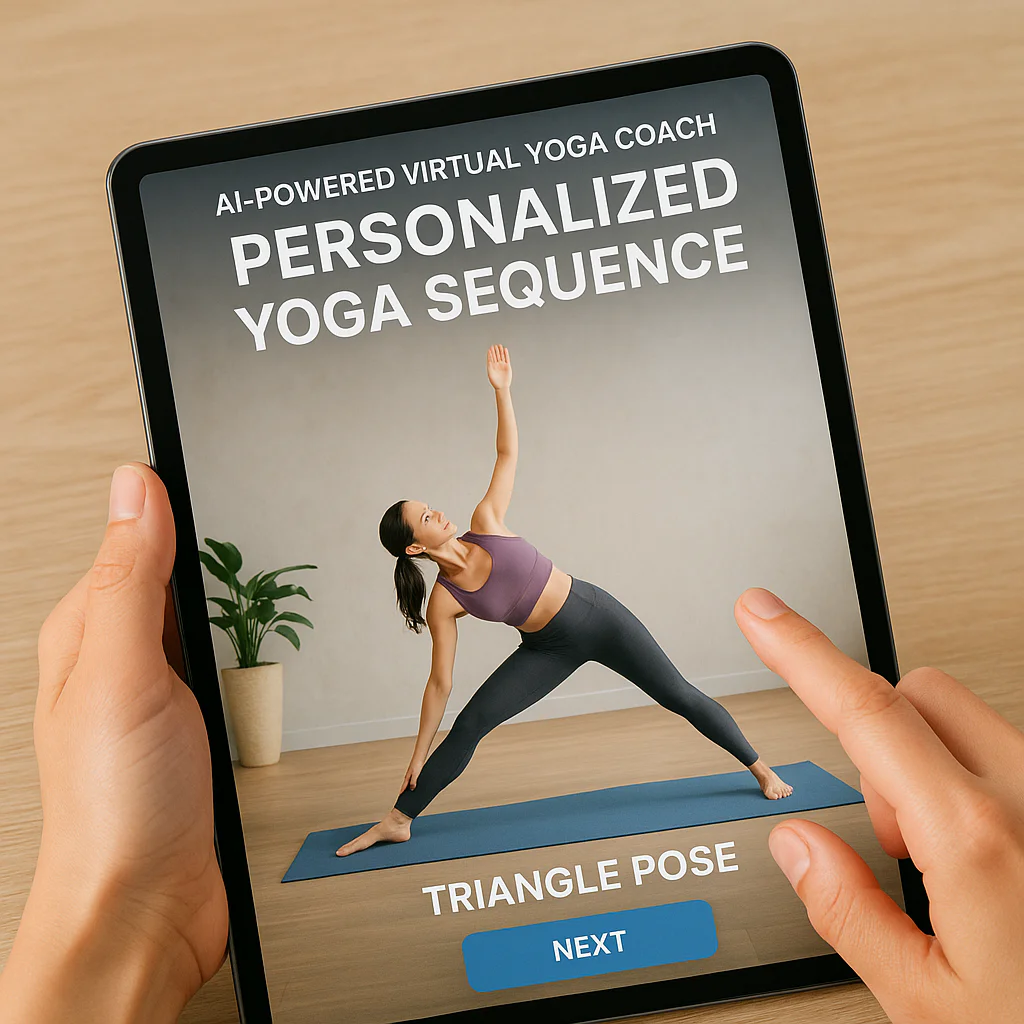
AI-curated yoga sequences can make it easier to find a practice that fits your goals, time, and experience—but treat the suggestions as a starting point, not expert judgment. Review the poses, adapt anything that doesn’t feel right, and never let an app’s cue or score talk you into pushing through pain.
The appeal is easy to understand: you open an app, choose a goal, and a session appears without a long scroll through class videos. But “personalized” can mean anything from a simple recommendation to camera-based pose feedback, and those features don’t all understand your body equally well.
We’ve seen this play out in coaching: someone starts with a short, gentle flow because it feels manageable, then discovers that consistency matters more than finding a supposedly perfect sequence. The best AI yoga tool isn’t the one with the flashiest pose score—it’s the one that helps you practise comfortably while leaving you in control.
Key Takeaways
- AI-curated yoga sequences can reduce decision fatigue by suggesting poses and classes based on your preferences, goals, and available time.
- Personalization has limits. An app may not know your health history, understand how a pose feels, or interpret camera feedback correctly.
- Preview and modify each flow. Skip poses that feel unsuitable, use supports, and stop if you experience pain, dizziness, or unusual symptoms.
- Protect your privacy. Review camera permissions and data policies before sharing movement or health information.
- Use AI as a planning aid, not a yoga teacher or healthcare professional. Seek qualified human guidance when you need individual instruction or safety advice.
Table of Contents
- ⚡ Quick Tips and Facts
- 🧘 What Are AI-Curated Yoga Sequences?
- How AI Builds a Personalized Yoga Flow
- AI-Curated Sequences vs. Traditional Yoga Classes
- 📚 The Rise of AI in Yoga and Digital Fitness
- From On-Demand Videos to Adaptive Yoga Apps
- How Pose Estimation and Wearables Fit In
- 🔍 How AI Yoga Sequence Generators Work
- Inputs: Goals, Experience, Time, and Equipment
- Choosing Poses, Transitions, and Class Intensity
- Personalization, Feedback, and Progress Tracking
- 🎯 Who Benefits from Personalized Yoga Sequences?
- Beginners, Busy Schedules, and Home Practice
- Yoga for Flexibility, Strength, Stress Relief, and Sleep
- Different Bodies, Abilities, and Life Stages
- 🛠️ How to Create an AI-Curated Yoga Sequence
- Set Your Goal and Choose a Practice Length
- Share Useful Preferences Without Oversharing
- Review and Adjust the Suggested Yoga Flow
- 📱 AI Yoga Apps and Digital Platforms to Explore
- Features to Compare Before Choosing an App
- Instructor-Led Classes, AI Coaching, and Hybrid Options
- Profiles, Practice History, and Account Settings
- Subscriptions, Purchases, and Cancellations
- Getting Help and Connecting with Yoga Communities
- ✅ Benefits of AI-Personalized Yoga Practice
- ⚠️ Limitations, Risks, and Common Misconceptions
- Can AI Correct Your Yoga Form Reliably?
- Privacy, Camera Access, and Health Data
- Why AI Is Not a Substitute for a Qualified Instructor
- 🛡️ Yoga Safety, Modifications, and When to Seek Guidance
- Adapting Poses for Injuries and Health Conditions
- Pregnancy, Chronic Pain, and Returning After a Break
- Warning Signs: When to Stop or Modify
- 💡 Tips for Getting Better AI-Generated Yoga Flows
- 🔮 The Future of AI-Curated Yoga
- 🏁 Conclusion
- 🔗 Recommended Links
- ❓ FAQ
- Are AI-curated yoga sequences suitable for beginners?
- Can AI create a yoga sequence for a specific goal?
- Do AI yoga apps use your camera?
- Can AI detect incorrect yoga poses?
- Are AI-generated yoga flows safe during pregnancy or with an injury?
- How often should I practice an AI-curated yoga sequence?
- 📖 Reference Links
⚡ Quick Tips and Facts
AI-curated yoga sequences use software to suggest or adapt a yoga flow based on information such as your goals, experience, available time, and feedback. They can make practice more convenient, but a generated sequence is a suggestion—not a clinical assessment or a substitute for an experienced yoga teacher.
Your starting point matters. Our coaches often begin by asking what a person wants from movement, then choose an appropriate style and intensity. If you’re comparing yoga with other forms of movement, this guide to exercise types can help you think through your options.
| At a glance | What to know |
|---|---|
| What AI can personalize | Pose selection, sequence length, pace, reminders, and—in some apps—feedback from a camera or wearable |
| What you may need | A phone or tablet; a camera-enabled device only if the feature requires it; a mat is useful but not always essential |
| Biggest benefit | A convenient starting point for a practice that reflects your preferences |
| Biggest limitation | AI may misread movement, miss relevant health context, or recommend something that doesn’t feel right |
| Safest approach | Review the sequence first, choose beginner-friendly options, and stop if a movement causes sharp pain, dizziness, or unusual symptoms |
| Keep expectations realistic | A personalized flow does not guarantee better results, injury prevention, or medically appropriate guidance |
✅ Try: telling the app your experience level, time available, preferred intensity, and any movements you want to avoid.
❌ Don’t: rely on a pose score or camera prompt to overule pain or advice from your healthcare professional.
🧘 What Are AI-Curated Yoga Sequences?
An AI-curated yoga sequence is a series of yoga poses and transitions assembled or adjusted by software. Depending on the platform, it might draw from a library of recorded classes, use rules based on your answers, or generate a flow from your goals and preferences.
That distinction matters. Some products personalize a class playlist; others attempt to analyze your movement or generate instructions. “AI yoga” is a broad label, not a guarantee that every session is individually designed or that every pose is being checked accurately.
Common inputs include:
- Your experience level and preferred yoga style
- Your goal, such as mobility, strength, relaxation, or a short movement break
- The time you have available
- Equipment or space constraints
- Your reported mood, energy, or preferences
- Camera or wearable data, if you choose to use those features
For general movement ideas, explore our fitness guides and exercise demonstrations. And remember: an app’s personalized label describes its software experience, not necessarily a professional evaluation of your body.
How AI Builds a Personalized Yoga Flow
A sequence generator may follow a simple structure: collect information, select poses, arrange them into a flow, then offer adjustments or feedback. More advanced tools may use computer vision to estimate body positions from a camera image. Even then, a screen can’t reliably capture every sensation, past injury, or individual need.
A well-structured yoga session commonly includes:
- A gentle arrival or warm-up
- A gradual build in movement or intensity
- A main sequence suited to the session goal
- A cool-down or restorative finish
- Options to pause, modify, or skip poses
The algorithm can help organize those pieces. Your own comfort and judgment still get the final vote.
AI-Curated Sequences vs. Traditional Yoga Classes
| Feature | AI-curated sequence | Instructor-led class |
|---|---|---|
| Availability | Often on demand | Scheduled or on demand, depending on the provider |
| Personalization | Based on entered preferences and available data | Can respond to questions and observed needs, depending on format |
| Feedback | May be automated, limited, or absent | A teacher may offer verbal cues and modifications |
| Privacy | Depends on data collection and camera settings | Typically no movement data processed by an app, though online platforms may collect account data |
| Best suited to | Convenience, structure, and repeatable solo practice | Hands-on learning, individualized discussion, and human interaction |
Neither option wins every round. A thoughtful app can make it easier to practise consistently; a qualified teacher may notice details an algorithm misses. Many people benefit from combining self-guided sessions with occasional instruction.
📚 The Rise of AI in Yoga and Digital Fitness
Yoga apps have moved beyond simply playing a video. Some now use quizzes, recommendation systems, motion tracking, or wearable data to shape the experience. Our AI in fitness industry coverage explores how these tools are changing digital coaching—and why their claims deserve a careful look.
The available examples vary widely. A review by Quickpose.ai describes products and concepts including FitYoga, Trueyogi’s EVA, Harna Yoga, Skill Yoga’s Movement Coach, KinesteX AI, and YogiFi. These examples illustrate different approaches, but a product mention in a roundup is not independent proof of accuracy, safety, or current availability. Check each provider’s current features, privacy policy, and app-store listing before relying on it.
From On-Demand Videos to Adaptive Yoga Apps
Digital yoga can range from a fixed video library to a system that changes suggestions according to your answers or activity history.
| Digital format | What it typically offers | What to check |
|---|---|---|
| On-demand video library | Recorded classes, often organized by style or duration | Instructor qualifications, clear modifications, and accessibility |
| Recommendation-based app | Suggested sessions based on selected goals or past use | Whether recommendations explain why a class was chosen |
| AI-generated sequence tool | A flow assembled from prompts, rules, or a pose library | Whether you can review, edit, or skip poses |
| Camera-enabled coaching | Attempted pose or movement analysis | Camera permissions, lighting requirements, and feedback limitations |
| Connected mat or wearable | Movement or activity information linked to an app | Data sharing, device compatibility, and how measurements are used |
A recommendation can feel personal without being genuinely individualized. If an app gives everyone the same sequence after a short quiz, it may be offering useful guidance—but not deep assessment.
How Pose Estimation and Wearables Fit In
Pose estimation uses visual data to estimate where parts of the body are positioned. In a yoga app, that may support cues about alignment or movement. An estimate is not the same as a complete biomechanical assessment. Camera angle, lighting, clothing, body proportions, mobility differences, and the pose itself can affect what software detects.
Wearables may add activity or physiological data, but those measurements also have limits. A heart-rate reading, for example, cannot tell an app whether a stretch feels appropriate or why you are fatigued.
A research-paper listing titled “Asana AI – Yoga Pose Detection Using Pose Estimation and Real …” is relevant to this topic. However, the accessible IEEE page does not expose the paper’s methods or results, so we can’t responsibly attribute performance claims or numerical findings to it. Likewise, an IEEE page that displays an access restriction cannot be treated as evidence for claims the article’s text does not reveal.
🔍 How AI Yoga Sequence Generators Work
The simplest tools select from a library using your answers. More complex systems may adapt recommendations as you use the app, or attempt to detect movement through a camera.
A useful way to evaluate any “smart” sequence is to ask: What does the app know, what is it guessing, and can you change its mind?
Inputs: Goals, Experience, Time, and Equipment
Before generating a session, an app may ask about:
- Goal: mobility, balance, general movement, relaxation, or strength
- Experience: new to yoga, familiar with common poses, or experienced
- Duration: how much time you have for the practice
- Preferences: pace, style, instructor voice, or music
- Equipment: mat, blocks, strap, chair, or no equipment
- Limitations: movements you wish to avoid or areas you want to protect
Be specific, but don’t treat a questionnaire as a medical history. If you have an injury, medical condition, or a pregnancy-related question, consult an appropriate professional before following a new programme. An app can’t make an incomplete health intake complete just by adding more questions.
Choosing Poses, Transitions, and Class Intensity
A useful sequence isn’t merely a pile of poses with a soothing soundtrack. Order, transitions, and intensity matter. A beginner flow should not leap from stillness into demanding balances without preparation; a restorative session should not finish with an unexpected burst of vigorous movement.
When reviewing a generated flow, look for:
- A gradual warm-up before more demanding poses
- Clear transitions, with time to change position
- A sensible match between the stated goal and the actual poses
- Modifications for poses that may be challenging
- A calming finish if the session is intended for relaxation
The first YouTube video featured in this article offers a different perspective: it presents 15 foundational poses held for about 30 seconds each, with alignment cues, modifications, and contraindications. Its guidance includes practical reminders such as keeping wrists under shoulders in Downward-Facing Dog and modifying certain poses for specific concerns. That fixed beginner routine can be useful for learning the shape of a session, while an AI-curated flow may offer more choice. Neither format replaces individualized advice. Watch the featured video and assess its instructions alongside your own comfort and, where relevant, professional guidance.
Personalization, Feedback, and Progress Tracking
Some platforms use your practice history to suggest the next class. Others offer a “pose score,” camera-based cues, or progress dashboards. These features can help you stay engaged, but they need context.
A score may reflect how closely your estimated body position matches the app’s model—not how safely or effectively you performed the pose. Progress is broader than app streaks or flexibility measurements. You might notice that a transition feels smoother, your balance is steadier, or you feel more comfortable taking a pause.
✅ Treat tracking as a reflection tool.
❌ Don’t chase a score by forcing a deeper stretch or ignoring discomfort.
🎯 Who Benefits from Personalized Yoga Sequences?
AI-curated yoga may suit people who want a convenient starting point, a repeatable schedule, or help choosing from a large class library. It can be particularly handy when the familiar question “What should I practise today?” is the biggest obstacle.
It is less suited to people who need individualized clinical guidance or detailed in-person correction. If you’re exploring movement alongside other home options, our bodyweight exercises provide another way to build a simple routine.
Beginners, Busy Schedules, and Home Practice
For a beginner, a short, clearly cued sequence can make starting less intimidating. The best app experience is not the one with the most futuristic scorecard; it’s the one that makes safe, understandable practice feel manageable.
At home, set up a clear space and check that your screen is easy to see without twisting your neck. If you use a camera feature, position the device as directed and confirm what data the app processes. A standard beginner video may be a better choice than camera coaching if you don’t want to share camera access.
Yoga for Flexibility, Strength, Stress Relief, and Sleep
Apps often organize sequences around outcomes such as flexibility, strength, relaxation, or sleep. Those categories can help you find a session, but no sequence guarantees a particular health outcome. Your experience depends on the movements, effort, consistency, individual circumstances, and how the practice fits into your broader routine.
| Goal you select | What a suitable session might emphasize | Useful reality check |
|---|---|---|
| Flexibility or mobility | Comfortable ranges of motion, gradual movement, and time to settle into poses | Stretching should not become sharp or forceful |
| Strength | Stable holds, controlled transitions, and appropriate challenge | A screen cannot confirm that a pose is right for your body |
| Relaxation | Slower pacing, gentle movement, and restful positions | Relaxing is a personal experience; adjust if a pose feels stressful |
| General movement | A balanced mix of standing, floor-based, and mobility work | Choose a level you can complete comfortably |
| Sleep wind-down | Quiet pacing and low-intensity movements | An app should not promise to treat a sleep disorder |
If food, hydration, or recovery are part of your wider fitness plan, our diet and nutrition section offers related guidance.
Different Bodies, Abilities, and Life Stages
A useful yoga app should make it possible to adjust, pause, or select accessible alternatives. That can include chair-based practice, supported poses, and less demanding transitions. But an algorithm may not understand why a particular movement is unsuitable unless the system specifically accounts for it—and even then, it may be wrong.
Some tools described by Quickpose.ai focus on specific needs, such as chair yoga or routines linked to menstrual-cycle information. These are product descriptions, not proof that a programme is clinically validated or appropriate for every user. For pregnancy, pain, injury, or a significant health condition, seek advice from a qualified professional familiar with your circumstances.
🛠️ How to Create an AI-Curated Yoga Sequence
Treat the app as a planning assistant, not a commander. Here’s a practical way to build a session that’s more likely to feel useful.
Set Your Goal and Choose a Practice Length
- Choose one main purpose. For example, gentle movement, balance, or a relaxing pause. One clear goal is more helpful than asking a short session to do everything.
- Select a duration that fits your day. A realistic session you can complete comfortably is better than an ambitious one you abandon halfway through.
- Choose your experience level honestly. Starting at beginner level is a smart calibration, not a confession.
- Set the intensity. If you’re tired or returning after a break, choose a gentler option.
- Select the equipment you actually have. Don’t let the algorithm invent a prop closet you don’t own.
Share Useful Preferences Without Oversharing
Tell the app what affects the session: preferred pace, movements you avoid, available space, or whether you want spoken cues. For sensitive health details, first check the provider’s privacy policy and permissions. Ask whether information is stored, shared, or used for personalization, and whether you can delete it.
You do not need to provide more personal information than the feature requires. A helpful preference and a detailed medical record are not the same thing.
Review and Adjust the Suggested Yoga Flow
Before pressing play:
- Scan the pose list and look up unfamiliar movements.
- Check whether the session includes a warm-up and a finish.
- Notice transitions that may be difficult for you.
- Use the app’s beginner, chair, or restorative alternatives if appropriate.
- Remove or skip poses that cause concern.
- Keep water and a stable support nearby if you need them.
During practice, breathe normally and move within a comfortable range. Stop if you experience sharp pain, dizziness, numbness, or unusual shortness of breath. If a pose feels wrong, you don’t owe the algorithm a completion badge.
📱 AI Yoga Apps and Digital Platforms to Explore
The products mentioned below represent different kinds of digital yoga and fitness tools. Their availability, features, and names may change. We are not assigning product ratings or endorsing medical claims: verify the current app listing, terms, and privacy details before using a service.
| Product or tool | Described approach | Considerations |
|---|---|---|
| FitYoga | Camera-based movement analysis, feedback, and personalized meditation are described in the roundup | Confirm current availability and camera/data practices |
| Trueyogi: Yoga AI Trainer EVA | Described as adapting flows to mood and physical capabilities | Ask how the app defines and measures those inputs |
| Harna Yoga | Described as offering chair-yoga recommendations connected to menstrual-cycle information | Check the source and handling of sensitive cycle data |
| Skill Yoga’s Movement Coach | Described as using pose recognition and a post-session “Pose Score” | Don’t interpret a score as a clinical assessment |
| KinesteX AI | Described as combining fitness, yoga-related movement, breathing, and physiotherapy-oriented exercises | A digital routine is not a physiotherapy evaluation |
| YogiFi Smart Yoga Mat | Described as a connected mat with feedback and tracking features | Check device compatibility, setup, and availability |
| Prayoga (Yoga for beginners) | Described as offering camera-based posture analysis | Verify current support and privacy information |
| yogaPose AI | Described as a pose-explanation resource rather than a sequence-curation tool | Pose information is not personalized medical advice |
These descriptions reflect a third-party roundup, not an independent testing programme. Where current official product information is unavailable or unclear, we won’t pretend otherwise.
Features to Compare Before Choosing an App
Use this checklist before signing up:
- Personalization: Does the app explain how recommendations are generated?
- Modifications: Can you swap, skip, or simplify poses?
- Instruction quality: Are cues clear, accessible, and easy to follow?
- Camera permissions: Does camera analysis require video storage or account creation?
- Data controls: Can you manage permissions and delete your information?
- Accessibility: Are chair options, captions, and clear audio available?
- Current support: Is the app maintained, and does the provider explain how to contact them?
- Claims: Does the marketing promise more than the feature can demonstrate?
Instructor-Led Classes, AI Coaching, and Hybrid Options
An app offers convenience and consistency. A teacher can answer questions and, in a live class, may adapt verbal instruction to what they observe. A hybrid approach can be a sensible middle path: use digital sessions for convenient practice, and seek qualified human guidance when you need to learn a pose or adapt around a concern.
Check instructor qualifications and the style of instruction, not just the app’s most impressive feature. A friendly voice prompt is useful; it is not the same as a teacher who understands your situation.
Profiles, Practice History, and Account Settings
A profile can store preferences and help an app recommend sessions. Review what it saves, especially if it records health details, body measurements, location, camera data, or activity history.
Before connecting a wearable or granting camera access, ask:
- Can the app work without that permission?
- Is data processed on the device or sent to a service?
- Can you revoke access later?
- Can you remove your account and stored data?
- Are third-party integrations involved?
Subscriptions, Purchases, and Cancellations
Digital fitness tools may use subscriptions, one-time purchases, or device-linked services. Before committing, read the renewal and cancellation terms in the app or platform where you signed up. Check whether a trial automatically converts and whether deleting an app also cancels the subscription—it often does not.
Getting Help and Connecting with Yoga Communities
If a feature fails, consult the provider’s official support page or the app store listing. For movement questions, look for a qualified yoga teacher or healthcare professional rather than relying on a community comment as medical advice.
User reviews can help reveal practical issues such as crashes, confusing cues, or device compatibility. But reviews are subjective and may reflect different bodies, goals, and versions of the app. Read several recent reviews and look for recurring details, not one dramatic star rating.
✅ Benefits of AI-Personalized Yoga Practice
AI-curated sequences can offer real convenience without being magic. Potential advantages include:
- Less decision fatigue: A suggestion gives you a starting point.
- Flexible scheduling: On-demand sessions can fit around work or family commitments.
- Repeatable structure: Saved routines make it easier to practise consistently.
- Preference-based discovery: Recommendations may help you find classes that match your chosen duration or style.
- Optional feedback: Camera-based cues may draw attention to a position, though they can be wrong.
- Progress reflection: A practice history may help you notice patterns and preferences.
The largest benefit may be surprisingly ordinary: reducing the friction between “I should move” and actually unrolling the mat. For a wider view of fitness technology and online coaching, browse our AI in fitness industry resources.
⚠️ Limitations, Risks, and Common Misconceptions
A sequence can look polished and still be a poor fit. AI systems work from their available inputs and the assumptions built into their design; they do not automatically understand your body or health history.
| Limitation | Why it matters | What you can do |
|---|---|---|
| Incomplete user information | The sequence may miss relevant context | Review each pose and consult a professional about health concerns |
| Camera errors | The system may misread body position | Treat visual feedback as a prompt, not a verdict |
| Generic modifications | A suggested alternative may still not suit you | Skip the pose or ask a qualified teacher |
| Overconfident marketing | “Personalized” can describe simple recommendations | Ask what the software actually measures |
| Privacy trade-offs | Camera and health data can be sensitive | Review permissions and data policies before enabling features |
| Scores and streaks | Metrics can reward performance over comfort | Prioritize how you feel and move, not the app’s score |
Can AI Correct Your Yoga Form Reliably?
It may identify some visible positions under suitable conditions, but a camera-based tool cannot reliably judge everything that matters. It may not capture your sensation, joint history, pain, breathing quality, or the small adjustments a teacher could make after asking a question.
The better question is not “Can AI see my pose?” but “What can this particular system detect, and what can it miss?” Follow safe, clear cues, but don’t force your body to match a screen or pose model.
Privacy, Camera Access, and Health Data
Camera access can be useful for movement features, yet it raises understandable privacy questions. Read the provider’s privacy notice and look for its rules on recording, storage, sharing, retention, and deletion. If those details are unclear, leave the permission disabled or choose a non-camera option.
Cycle information, injury details, and other health-related inputs deserve special care. You should know why the app wants the information and how it uses it before you share it.
Why AI Is Not a Substitute for a Qualified Instructor
A qualified teacher can explain options, respond to questions, and help you understand a movement in context. Software may offer useful structure or reminders, but it does not provide the same human interaction or individualized professional judgment.
For learning unfamiliar poses, consider an instructor-led session or a reputable demonstration. Our exercise demonstrations can also help you review movement basics.
🛡️ Yoga Safety, Modifications, and When to Seek Guidance
Use a sequence that matches your current ability, not the version of yourself you hope to become by Friday. Practise on a stable surface, keep transitions controlled, and use supports if they make a position more comfortable.
The National Center for Complementary and Integrative Health advises discussing yoga with a healthcare provider when you have health concerns and looking for a qualified instructor. That is a sensible guardrail for digital practice, too.
Adapting Poses for Injuries and Health Conditions
If you have an injury, persistent pain, a recent operation, or a health condition that affects movement, ask a qualified healthcare professional what activity is appropriate. Then choose an instructor or app that lets you modify the sequence.
Helpful adjustments may include:
- Choosing a chair-supported variation
- Shortening a hold or reducing the range of motion
- Using a block or other stable support
- Skipping a pose that causes symptoms
- Selecting a gentler session instead of pushing through
These are general options, not personalized treatment instructions. A modification that suits one person may not suit another.
Pregnancy, Chronic Pain, and Returning After a Break
Pregnancy, chronic pain, and recovery after a long break can change which movements feel appropriate. An app cannot reliably infer those changes from your age, mood, or practice history. Seek guidance from a healthcare professional familiar with your circumstances, and choose a yoga teacher experienced in the relevant area when appropriate.
If you are returning to movement, start gently and reassess how you feel during and after practice. “Beginer” is a setting; your comfort is the actual feedback.
Warning Signs: When to Stop or Modify
Pause or stop if you experience:
- Sharp, sudden, or increasing pain
- Dizziness, faintness, or unusual shortness of breath
- Numbness, tingling, or weakness
- A feeling that a position is unstable or unsafe
- Symptoms that persist or worsen after practice
Seek appropriate medical care for serious, persistent, or concerning symptoms. Do not use an app’s encouragement, timer, or score as a reason to continue through warning signs.
💡 Tips for Getting Better AI-Generated Yoga Flows
- Choose the right goal for today. Your needs can change; yesterday’s strength flow may not suit a tired evening.
- Give the app useful, honest inputs. Don’t select an advanced level just because the button looks impressive.
- Preview the sequence. Catch unsuitable poses before you’re halfway into a transition.
- Keep a modification plan. Know how to pause, use support, or skip a movement.
- Question the feedback. Camera cues are estimates, not personal coaching.
- Notice how you feel afterwards. Comfort, confidence, and enjoyment matter more than completing every pose.
- Protect your information. Enable camera or health-data features only when you understand their purpose and privacy terms.
- Use trusted instruction. Pair digital convenience with qualified human guidance when learning or adapting poses.
A small anecdote from coaching sessions: people often expect motivation to arrive before practice. More often, a short, approachable session comes first—and motivation catches up. The right tool can help you start, but you still get to choose what feels appropriate today.
🔮 The Future of AI-Curated Yoga
AI yoga tools may become better at adapting to preferences, offering accessible instruction, and combining video, wearables, or voice control. Progress should be judged by more than novelty. Useful systems will need to explain their limits, protect user data, offer practical modifications, and make it easy to correct a bad recommendation.
Research and product claims should also be kept separate. An IEEE page that is inaccessible to readers does not verify a paper’s findings, and a product roundup does not establish clinical effectiveness. For now, the strongest use case is practical support: helping you find, organize, and revisit a session you can comfortably practise—not replacing professional judgment.