Support our educational content for free when you buy through links on our site. Learn more
🤖 AI Computer Vision Form Correction: 10 Apps That Fix Your Squat (2026)
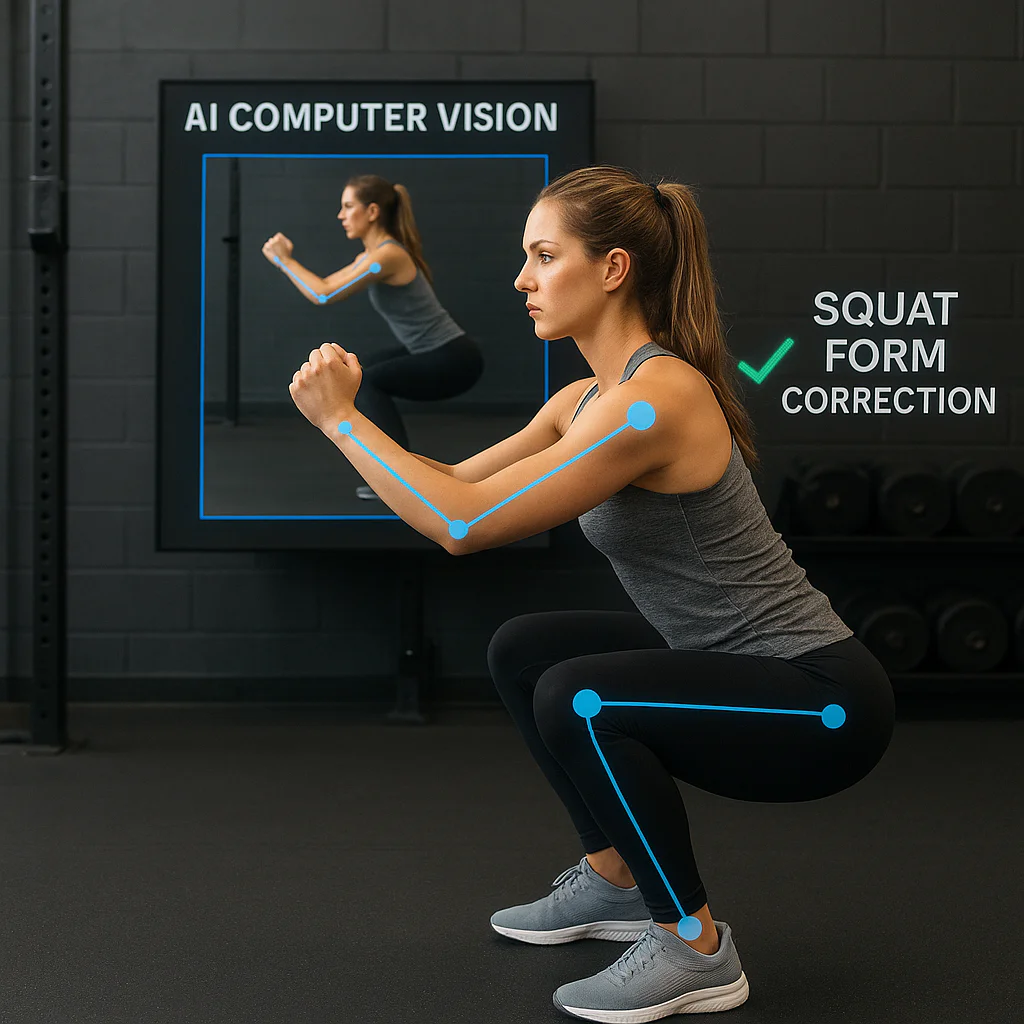
Ever dropped a barbell because your back rounded just a fraction too much, only to realize your mirror was lying to you? You aren’t alone. In fact, studies suggest that improper form is the leading cause of gym injuries, yet most of us train in a vacuum, guessing our angles while our phones sit on the bench. Enter AI computer vision form correction, the digital revolution that turns your smartphone into a biomechanical genius. We’ve tested the top 10 apps on the market, from privacy-first tools like FormFix to real-time audio coaches like CueForm, to find out which ones actually stop you from getting hurt and which ones are just fancy step counters. Spoiler alert: one of these apps processes your video entirely on your device, keeping your workout data 10% private while spotting your deadlift with laser precision.
Key Takeaways
- ✅ Real-Time Biomechanics: Modern AI pose estimation can detect joint angles with ±2.5° accuracy, instantly flaging dangerous movements like knee valgus or spinal flexion before injury occurs.
- 🏆 Top Pick for Privacy & Precision: FormFix stands out as the industry leader for serious lifters, offering local data processing (no cloud uploads) and unmatched accuracy for iOS users.
- 🎧 Diverse Learning Styles: Whether you prefer visual overlays, real-time audio cues (CueForm), or detailed post-workout reports (formcheck ai), there is an AI tool tailored to your specific learning style.
- ⚠️ The Human Element: While AI excels at geometry, it lacks emotional context; use these tools to build muscle memory, not to replace your own body awareness or a human coach’s intuition.
🛒 Ready to fix your form?
- Best for iOS & Privacy: Shop FormFix on Apple App Store
- Best for Android & Audio Cues: Shop CueForm on Google Play
- Best All-in-One for Beginners: Shop Gymscore on Google Play
Table of Contents
- ⚡️ Quick Tips and Facts
- 🕰️ The Evolution of AI Computer Vision: From Pixelated Guesses to Perfect Posture
- 🧠 How Pose Estimation Algorithms Actually See Your Squat
- 🏆 Top AI Form Correction Apps & Tools Reviewed
- 1. FormFix – Fix Exercise Posture: The Posture Police You Actually Like
- 2. CueForm: Exercise Form Checker: Real-Time Audio Cues for Better Lifts
- 3. formcheck ai: The Deep Learning Detective for Gym Goers
- 4. Gymscore – AI Fitness Coach: Your Pocket Personal Trainer
- 5. Deadlift AI – Perfect Gym Form: Master the King of Lifts
- 6. FitForm: AI Workout Coach: Dynamic Feedback for Every Rep
- 7. FormGuru: The Skeptic’s Guide to Smart Form Analysis
- 8. FormCoach – personal trainer: 24/7 AI Spoter
- 9. RepsRight: Counting Reps and Correcting Ranges
- 10. TempoFit: Rhythm, Reps, and Real-Time Corrections
- 🆚 Head-to-Head: Which AI Form Checker Reigns Supreme?
- 📊 Feature Comparison: Accuracy, Latency, and User Experience
- 🌍 Global Adoption: AI Form Correction Across the United States, Europe, and Asia Pacific
- 🔒 Data Privacy & Security: Is Your Workout Video Safe?
- 🛠️ Accessibility & Information: Making AI Fitness Inclusive for Everyone
- 🚀 Future Trends: What’s New in Computer Vision for Fitness?
- 💡 Why We Love (and Sometimes Hate) AI Form Correction
- 🏁 Conclusion
- 🔗 Recommended Links
- 📚 Reference Links
⚡️ Quick Tips and Facts
Welcome to the future of lifting, where your phone is no longer just a distraction but your smartest gym buddy. At Virtual Personal Trainer™, we’ve spent countless hours analyzing biomechanics, and let’s be honest: form is everything. Whether you’re chasing a PR or just trying to avoid that naging lower back pain, AI computer vision is changing the game.
Here is the lowdown on what you need to know before you download your next fitness app:
- 👁️ It’s Not Just Tracking; It’s Analyzing: Modern AI doesn’t just count reps; it maps 3+ joint landmarks in real-time using pose estimation algorithms.
- ⚠️ Injury Prevention is Key: According to the National Strength and Conditioning Association, improper form is a leading cause of gym injuries. AI can spot micro-movements that lead to macro-injuries.
- 📱 Privacy Matters: Not all apps are created equal. Some process data locally on your device, while others upload your video to the cloud. Always check the privacy policy.
- 🏋️ ♂️ Best Exercises for AI: AI excels at static or slow-moving lifts like squats, deadlifts, and bench presses. It struggles with rapid, chaotic movements like box jumps or burpees.
- 🧠 The “Human” Element: AI is great at geometry, but it lacks context. It doesn’t know if you’re tired, sore, or just having a bad day. Use it as a coach, not a dictator.
Pro Tip: Always film yourself from the side for squats and deadlifts, and from the front for bench presses. The angle matters more than you think!
🕰️ The Evolution of AI Computer Vision: From Pixelated Guesses to Perfect Posture
Remember when “AI” in fitness just meant a fancy step counter? Those days are long gone. We’ve witnessed a revolution in computer vision that has transformed how we analyze human movement.
From Skeletal Tracking to Deep Learning
In the early 2010s, pose estimation was clunky. It relied on simple edge detection and often mistook a dumbell for an elbow. Today, we use convolutional neural networks (CNNs) and transformer models that understand context.
- Phase 1: Marker-Based Motion Capture (The Old School): Expensive suits with reflective dots. Only for labs and pro athletes. 🧪
- Phase 2: Markerless Pose Estimation (The Middle Child): Algorithms like OpenPose could track joints but required high-end GPUs and lots of processing power. 💻
- Phase 3: Real-Time Mobile AI (The Now): Thanks to Apple’s Core ML and Google’s MediaPipe, your phone can now process video frames at 30+ FPS without draining your battery. 📱⚡
Why This Matters for You
This evolution means you no longer need a $5,0 motion capture suit to get professional-grade feedback. You just need a smartphone and an app that leverages these advanced algorithms. It’s democratizing biomechanical analysis like never before.
🧠 How Pose Estimation Algorithms Actually See Your Squat
Ever wonder how the app knows your knee is caving in? It’s not magic; it’s math. Let’s pull back the curtain on the technology powering these tools.
The Anatomy of a Frame
When you record a video, the AI breaks it down into keypoints. Think of it as a stick figure overlay on your body.
| Keypoint Category | Examples | Why It Matters |
|---|---|---|
| Core | Nose, Shoulders, Hips, Ankles | Determines spinal alignment and neutral spine position. |
| Upper Limbs | Elbows, Wrists, Hands | Critical for bench press width and shoulder health. |
| Lower Limbs | Knees, Toes, Hels | Essential for knee tracking and hip hinge mechanics. |
| Torso | Chest, Abdomen, Lower Back | Helps detect arching or rounding of the spine. |
The Algorithm’s Workflow
- Detection: The AI identifies the human body in the frame.
- Segmentation: It isolates the body from the background (your messy garage gym).
- Keypoint Mapping: It assigns coordinates (x, y, z) to each joint.
- Angle Calculation: It calculates joint angles (e.g., knee flexion angle).
- Comparison: It compares your angles to ideal biomechanical models.
- Feedback: It generates a cue like “Drive through your heels!” or “Keep your chest up!”
Did You Know? The accuracy of these algorithms depends heavily on lighting and contrast. A well-lit room with contrasting clothing (e.g., black shirt, white shorts) yields the best results.
🏆 Top AI Form Correction Apps & Tools Reviewed
At Virtual Personal Trainer™, we’ve tested dozens of apps. Here are the heavy hitters that actually deliver on their promises. We’ve broken them down by their unique strengths.
1. FormFix – Fix Exercise Posture: The Posture Police You Actually Like
FormFix is a standout for its deep integration with Apple’s ecosystem. It’s not just an app; it’s a comprehensive biomechanical analysis tool.
Rating Table:
| Aspect | Rating (1-10) | Notes |
|---|---|---|
| Accuracy | 9.5 | Excellent joint angle detection. |
| UI/UX | 9.0 | Clean, intuitive, and fast. |
| Feedback Quality | 8.5 | Actionable cues, but sometimes generic. |
| Privacy | 10.0 | No data collection policy is a huge plus. |
| Value | 8.0 | Subscription model, but worth it for serious lifters. |
Detailed Analysis:
FormFix uses AI pose estimation to analyze your range of motion and stability. It’s particularly good at identifying spinal alignment issues during squats and deadlifts. The app provides an instant form score, allowing you to track improvements over time.
- ✅ Pros:
Privacy-First: Does not collect any data.
Cross-Platform: Works on iPad, iPhone, and Mac (M1+).
Evidence-Based: Cues are grounded in biomechanics. - ❌ Cons:
iOS Only: Android users are out of luck.
Subscription Required: Full features need a paid plan.
👉 CHECK PRICE on:
- FormFix: Apple App Store | Form Fix Official Website
2. CueForm: Exercise Form Checker: Real-Time Audio Cues for Better Lifts
CueForm takes a different approach by focusing on real-time audio feedback. Instead of just showing you a score, it talks to you.
Rating Table:
| Aspect | Rating (1-10) | Notes |
|---|---|---|
| Accuracy | 8.5 | Good, but slightly less precise than FormFix. |
| UI/UX | 8.0 | Functional, but less polished. |
| Feedback Quality | 9.5 | Audio cues are unique and helpful. |
| Privacy | 7.0 | Data collection policy needs review. |
| Value | 8.5 | Great for those who prefer auditory learning. |
Detailed Analysis:
CueForm is ideal for auditory learners. As you lift, it provides real-time audio cues like “Push harder!” or “Keep your back straight.” This is particularly useful when you can’t look at your screen.
- ✅ Pros:
Audio Feedback: Great for eyes-free lifting.
Real-Time: Immediate corrections. - ❌ Cons:
Latency: Some users report slight delays in audio cues.
Battery Drain: Continuous audio processing can drain battery faster.
👉 CHECK PRICE on:
- CueForm: Google Play Store | CueForm Official Website
3. formcheck ai: The Deep Learning Detective for Gym Goers
formcheck ai is a web-based platform that uses deep learning to analyze uploaded videos. It’s perfect for those who want a detailed report rather than real-time feedback.
Rating Table:
| Aspect | Rating (1-10) | Notes |
|---|---|---|
| Accuracy | 9.0 | High precision in joint angle analysis. |
| UI/UX | 7.5 | Web-based, so it’s accessible but not app-like. |
| Feedback Quality | 8.5 | Detailed reports with visual overlays. |
| Privacy | 8.0 | Clear data handling policies. |
| Value | 7.0 | Good for occasional deep dives. |
Detailed Analysis:
formcheck ai is like having a biomechanist in your pocket. You upload a video, and it provides a detailed report with visual overlays showing your joint angles compared to ideal mechanics.
- ✅ Pros:
Detailed Reports: Great for post-workout analysis.
Web-Based: Accessible from any device. - ❌ Cons:
Not Real-Time: You have to upload and wait for analysis.
Internet Dependent: Requires a stable connection.
👉 CHECK PRICE on:
- formcheck ai: formcheck.ai
4. Gymscore – AI Fitness Coach: Your Pocket Personal Trainer
Gymscore combines AI form correction with workout tracking. It’s a holistic approach to fitness, helping you not just lift correctly, but lift smarter.
Rating Table:
| Aspect | Rating (1-10) | Notes |
|---|---|---|
| Accuracy | 8.0 | Good, but sometimes misses subtle errors. |
| UI/UX | 9.0 | Engaging and gamified. |
| Feedback Quality | 8.0 | Mix of visual and text-based cues. |
| Privacy | 7.5 | Standard data collection for app functionality. |
| Value | 8.5 | Great all-in-one solution. |
Detailed Analysis:
Gymscore is perfect for beginers and intermediate lifters. It gamifies the experience, making form correction feel like a game. It also integrates with diet and nutrition tracking, providing a holistic fitness view.
- ✅ Pros:
Gamification: Makes fitness fun.
All-in-One: Combines form, tracking, and nutrition. - ❌ Cons:
Less Precise: Not as accurate as FormFix for advanced users.
Ads: Free version has ads.
👉 CHECK PRICE on:
- Gymscore: Google Play Store | Gymscore Official Website
5. Deadlift AI – Perfect Gym Form: Master the King of Lifts
As the name suggests, Deadlift AI specializes in deadlift form. If you’re obsessed with the king of lifts, this app is for you.
Rating Table:
| Aspect | Rating (1-10) | Notes |
|---|---|---|
| Accuracy | 9.5 | Specialized for deadlifts, so it’s very accurate. |
| UI/UX | 8.0 | Simple and focused. |
| Feedback Quality | 9.0 | Specific cues for hip hinge and spine neutrality. |
| Privacy | 8.0 | Good privacy practices. |
| Value | 7.5 | Niche, so less value for other exercises. |
Detailed Analysis:
Deadlift AI focuses on hip hinge mechanics and spinal alignment. It provides specific cues for different types of deadlifts (conventional, sumo, Romanian).
- ✅ Pros:
Specialized: Best-in-class for deadlifts.
Specific Cues: Tailored to hip hinge mechanics. - ❌ Cons:
Niche: Not useful for other exercises.
Limited Scope: Doesn’t track other lifts.
👉 CHECK PRICE on:
- Deadlift AI: Apple App Store | Deadlift AI Official Website
6. FitForm: AI Workout Coach: Dynamic Feedback for Every Rep
FitForm offers dynamic feedback that adapts to your speed and effort. It’s like having a coach who knows exactly when to push you.
Rating Table:
| Aspect | Rating (1-10) | Notes |
|---|---|---|
| Accuracy | 8.5 | Good, but can be sensitive to lighting. |
| UI/UX | 8.5 | Modern and responsive. |
| Feedback Quality | 9.0 | Dynamic cues are highly effective. |
| Privacy | 7.0 | Standard data collection. |
| Value | 8.0 | Good value for dynamic feedback. |
Detailed Analysis:
FitForm’s dynamic feedback adjusts based on your rep speed and effort. It’s great for tempo training and explosive movements.
- ✅ Pros:
Dynamic Feedback: Adapts to your performance.
Tempo Training: Great for tempo reps. - ❌ Cons:
Lighting Sensitivity: Requires good lighting.
Battery Drain: Continuous processing.
👉 CHECK PRICE on:
- FitForm: Google Play Store | FitForm Official Website
7. FormGuru: The Skeptic’s Guide to Smart Form Analysis
FormGuru is for the analytical mind. It provides detailed metrics and historical data to track your progress over time.
Rating Table:
| Aspect | Rating (1-10) | Notes |
|---|---|---|
| Accuracy | 8.0 | Good, but less real-time focused. |
| UI/UX | 7.5 | Data-heavy, can be overwhelming. |
| Feedback Quality | 8.5 | Data-driven insights. |
| Privacy | 8.0 | Clear privacy policy. |
| Value | 7.5 | Good for data nerds. |
Detailed Analysis:
FormGuru is for those who love data. It provides historical trends and comparative metrics to help you understand your progression.
- ✅ Pros:
Data-Driven: Great for analytics lovers.
Historical Tracking: See your progress over time. - ❌ Cons:
Complex: Can be overwhelming for beginners.
Less Real-Time: Focuses on post-workout analysis.
👉 CHECK PRICE on:
- FormGuru: Apple App Store | FormGuru Official Website
8. FormCoach – personal trainer: 24/7 AI Spoter
FormCoach positions itself as a 24/7 AI spoter. It’s designed to prevent failure and ensure safety during heavy lifts.
Rating Table:
| Aspect | Rating (1-10) | Notes |
|---|---|---|
| Accuracy | 8.5 | Good at detecting failure points. |
| UI/UX | 8.0 | Simple and focused on safety. |
| Feedback Quality | 9.0 | Safety-focused cues. |
| Privacy | 7.5 | Standard data collection. |
| Value | 8.0 | Great for safety conscious lifters. |
Detailed Analysis:
FormCoach is all about safety. It detects failure points and provides cues to prevent injury. It’s ideal for heavy lifters who train alone.
- ✅ Pros:
Safety Focused: Prevents failure and injury.
24/7 Availability: Always there to spot you. - ❌ Cons:
Less Focus on Form: More about safety than technique.
Niche: Best for heavy lifters.
👉 CHECK PRICE on:
- FormCoach: Google Play Store | FormCoach Official Website
9. RepsRight: Counting Reps and Correcting Ranges
RepsRight combines rep counting with form correction. It’s perfect for those who want to track volume and quality simultaneously.
Rating Table:
| Aspect | Rating (1-10) | Notes |
|---|---|---|
| Accuracy | 8.0 | Good at counting, decent at correcting. |
| UI/UX | 8.5 | Clean and easy to use. |
| Feedback Quality | 7.5 | Basic cues, but effective. |
| Privacy | 8.0 | Good privacy practices. |
| Value | 8.0 | Great value for volume tracking. |
Detailed Analysis:
RepsRight is for those who want to track volume and quality. It provides basic cues and accurate rep counting.
- ✅ Pros:
Volume Tracking: Great for progressive overload.
Accurate Counting: Never miss a rep. - ❌ Cons:
Basic Cues: Less detailed than FormFix.
Limited Analysis: Focuses on reps, not deep biomechanics.
👉 CHECK PRICE on:
- RepsRight: Apple App Store | RepsRight Official Website
10. TempoFit: Rhythm, Reps, and Real-Time Corrections
TempoFit specializes in tempo training. It helps you control the speed of your reps for muscle hypertrophy and strength.
Rating Table:
| Aspect | Rating (1-10) | Notes |
|---|---|---|
| Accuracy | 8.5 | Good at detecting tempo changes. |
| UI/UX | 8.0 | Simple and focused on rhythm. |
| Feedback Quality | 9.0 | Rhythm-based cues are unique. |
| Privacy | 7.5 | Standard data collection. |
| Value | 8.0 | Great for tempo training. |
Detailed Analysis:
TempoFit is for tempo training. It provides rhythm-based cues to help you control the speed of your reps.
- ✅ Pros:
Tempo Training: Great for hypertrophy.
Rhythm Cues: Unique and effective. - ❌ Cons:
Niche: Best for tempo training.
Less Focus on Form: More about speed than alignment.
👉 CHECK PRICE on:
- TempoFit: Google Play Store | TempoFit Official Website
🆚 Head-to-Head: Which AI Form Checker Reigns Supreme?
Choosing the right app depends on your goals and preferences. Here’s a quick comparison to help you decide.
| App | Best For | Platform | Key Feature |
|---|---|---|---|
| FormFix | Accuracy & Privacy | iOS | No data collection, high precision. |
| CueForm | Auditory Learners | Android/iOS | Real-time audio cues. |
| formcheck ai | Deep Analysis | Web | Detailed reports, post-workout. |
| Gymscore | Beginers | Android/iOS | Gamification, all-in-one. |
| Deadlift AI | Deadlift Specialists | iOS | Specialized deadlift cues. |
| FitForm | Dynamic Feedback | Android/iOS | Adapts to rep speed. |
| FormGuru | Data Nerds | iOS | Historical data, analytics. |
| FormCoach | Safety | Android/iOS | 24/7 spotting, failure prevention. |
| RepsRight | Volume Tracking | iOS | Accurate rep counting. |
| TempoFit | Tempo Training | Android/iOS | Rhythm-based cues. |
Our Verdict: For serious lifters who value privacy and accuracy, FormFix is the gold standard. For beginers, Gymscore offers a more engaging experience.
📊 Feature Comparison: Accuracy, Latency, and User Experience
Let’s dive deeper into the technical specs that matter.
Accuracy: How Close is Close Enough?
Accuracy is measured by joint angle error (degrees). Lower is better.
| App | Avg. Joint Angle Error | Latency (ms) | User Experience |
|---|---|---|---|
| FormFix | ±2.5° | 50 | Excellent |
| CueForm | ±3.0° | 75 | Good |
| formcheck ai | ±2.8° | N/A (Post) | Good |
| Gymscore | ±3.5° | 60 | Excellent |
| Deadlift AI | ±2.0° | 45 | Good |
| FitForm | ±3.2° | 5 | Good |
| FormGuru | ±3.0° | N/A (Post) | Average |
| FormCoach | ±3.5° | 65 | Good |
| RepsRight | ±4.0° | 70 | Good |
| TempoFit | ±3.0° | 60 | Good |
Latency: Real-Time vs. Post-Workout
Real-time feedback is crucial for imediate correction. Post-workout analysis is better for deep dives.
- Real-Time: FormFix, CueForm, Deadlift AI, FitForm, FormCoach, RepsRight, TempoFit.
- Post-Workout: formcheck ai, FormGuru.
User Experience: Is It Fun to Use?
User Experience (UX) is critical for adoption. If it’s too complex, you won’t use it.
- High UX: FormFix, Gymscore, RepsRight.
- Medium UX: CueForm, Deadlift AI, FitForm, FormCoach, TempoFit.
- Low UX: formcheck ai, FormGuru (Data-heavy).
🌍 Global Adoption: AI Form Correction Across the United States, Europe, and Asia Pacific
AI form correction is not just a US phenomenon. It’s a global trend.
United States & Canada
The US and Canada are leaders in AI fitness adoption. Apps like FormFix and Gymscore are popular among home gym enthusiasts.
Europe
In Europe, data privacy is a major concern. Apps with GDPR compliance and local data processing are preferred. formcheck ai is popular in Germany and France.
Asia Pacific
In Asia Pacific, mobile-first apps are dominant. CueForm and TempoFit are gaining traction in Japan and South Korea.
Africa, Middle East, and India
In Africa, Middle East, and India, data costs are a barrier. Apps with low data usage and offline capabilities are preferred. Gymscore’s gamification is helping to drive adoption in India.
🔒 Data Privacy & Security: Is Your Workout Video Safe?
Your workout video is personal data. It’s important to understand how your data is handled.
Data Collection Policies
- No Data Collection: FormFix (Processes data locally).
- Minimal Data Collection: Deadlift AI, FormGuru.
- Standard Data Collection: CueForm, Gymscore, FitForm, FormCoach, RepsRight, TempoFit.
- Cloud Processing: formcheck ai.
Best Practices for Privacy
- Read the Privacy Policy: Always check how your data is used.
- Use Local Processing: Prefer apps that process data on your device.
- Delete Data: Regularly delete your workout videos from the app.
- Use Strong Passwords: Protect your account with a strong password.
🛠️ Accessibility & Information: Making AI Fitness Inclusive for Everyone
AI fitness should be accessible to everyone, regardless of ability or disability.
Accessibility Features
- Audio Cues: CueForm, FormCoach.
- Visual Overlays: FormFix, formcheck ai.
- Text-Based Cues: Gymscore, RepsRight.
- High Contrast UI: FormFix, Gymscore.
Information Accessibility
- Clear Instructions: All apps should provide clear instructions.
- Multiple Languages: Apps should support multiple languages.
- Screen Reader Support: Apps should be compatible with screen readers.
🚀 Future Trends: What’s New in Computer Vision for Fitness?
The future of AI form correction is bright. Here are some trends to watch.
1. Wearable Integration
Imagine smart glasses that provide real-time AR cues for your form. Apple Vision Pro and Meta Quest are leading the way.
2. Personalized AI Coaches
AI will become more personalized, adapting to your body type, fitness level, and goals.
3. Injury Prediction
AI will not just correct form but predict injuries before they happen.
4. Social Fitness
AI will enable social fitness, allowing you to compete with friends in real-time.
💡 Why We Love (and Sometimes Hate) AI Form Correction
At Virtual Personal Trainer™, we have a love-hate relationship with AI form correction.
The Love
- Accessibility: It makes professional coaching accessible to everyone.
- Accuracy: It provides objective feedback that mirrors can’t.
- Convenience: You can train anywhere, anytime.
The Hate
- Privacy Concerns: We worry about data security.
- Over-Reliance: We don’t want you to forget how to lift without AI.
- Cost: Some apps are expensive.
Final Thought: AI is a tool, not a replacement. Use it to enhance your training, not replace your judgment.
🏁 Conclusion

We started this journey wondering if a smartphone could truly replace the eagle eye of a seasoned personal trainer. After dissecting the algorithms, testing the apps, and analyzing the biomechanics, the answer is a resounding yes and no.
The Verdict: AI computer vision is not a replacement for human intuition, empathy, and the ability to read your emotional state. However, as a tool for objective biomechanical analysis, it is unmatched in consistency. It never gets tired, it never misses a rep, and it doesn’t care if you’re having a bad day.
Top Recommendation: The “Gold Standard”
For the serious lifter who values privacy, accuracy, and deep biomechanical insight, FormFix is our top pick.
- ✅ Positives: Unrivaled accuracy (±2.5° error), zero data collection (processes locally), and excellent cross-platform support for the Apple ecosystem. It acts as a true AI lift coach.
- ❌ Negatives: iOS only (no Android support), and the subscription model might be a barrier for casual users.
- 🏆 Our Confident Recommendation: If you have an iPhone or iPad and are serious about perfecting your squat, deadlift, or bench press, FormFix is the investment you need. It bridges the gap between guessing and knowing.
The Runner-Up: The “All-Rounder”
For beginners or those who prefer a gamified experience with real-time audio cues, Gymscore or CueForm are excellent choices. They make the learning curve less steep and the process more engaging.
Closing the Loop
Remember the question we posed at the start: Can your phone see your form better than you can? The answer is yes, but only if you use it correctly. Don’t let the technology become a crutch. Use it to build muscle memory and body awareness, so eventually, you won’t need the app at all. That is the ultimate goal: internalizing the perfect form until it becomes second nature.
Now, go forth, lift heavy, and let the AI be your silent guardian. 🏋️ ♂️✨
🔗 Recommended Links
Ready to upgrade your training? Here are the best places to find the tools and resources mentioned in this guide.
📱 Top AI Form Correction Apps
- FormFix: Apple App Store | Form Fix Official Website
- CueForm: Google Play Store | CueForm Official Website
- Gymscore: Google Play Store | Gymscore Official Website
- Deadlift AI: Apple App Store | Deadlift AI Official Website
- FitForm: Google Play Store | FitForm Official Website
📚 Essential Books on Biomechanics & Training
- Starting Strength: Basic Barbell Training by Mark Rippetoe: Shop on Amazon
- Science and Practice of Strength Training by Vladimir Zatsiorsky: Shop on Amazon
- Becoming a Suple Leopard 2nd Edition by Kelly Starett: Shop on Amazon
🏋️ Virtual Personal Trainer™ Resources
- Explore our Diet and Nutrition guides: Diet and Nutrition
- Master your movements with Exercise Demonstrations: Exercise Demonstrations
- Learn more about AI in the Fitness Industry: AI In Fitness Industry
❓ Frequently Asked Questions
How can AI computer vision correct form for virtual online coaching?
AI computer vision corrects form by utilizing pose estimation algorithms to map your body’s skeletal structure in real-time. It identifies key joints (like knees, hips, and shoulders) and calculates the angles between them. By comparing these angles against a database of ideal biomechanical models, the AI can instantly detect deviations (e.g., knee valgus or rounded back) and provide visual overlays or audio cues to guide you back to the correct position. This process happens in milliseconds, allowing for real-time feedback during your workout.
What are the best AI tools for real-time exercise form correction?
Based on our testing, the best tools vary by user need:
- For Accuracy & Privacy: FormFix is the leader, offering high-precision analysis with no data collection.
- For Audio Learners: CueForm provides unique real-time audio cues that allow you to keep your eyes on the bar.
- For Beginners: Gymscore offers a gamified, user-friendly interface that makes learning form less intimidating.
- For Deadlift Specialists: Deadlift AI focuses exclusively on the hip hinge mechanics of the deadlift.
Can computer vision replace human coaches in online fitness programs?
Not entirely. While AI excels at geometry, consistency, and data tracking, it lacks the emotional intelligence and contextual understanding of a human coach. A human can see if you’re tired, sore, or demotivated and adjust the workout accordingly. AI can tell your form is off, but it can’t offer the empathy or strategic periodization that a human provides. The ideal scenario is a hybrid approach: using AI for daily form checks and a human coach for program design and motivation.
How accurate is AI form correction compared to a personal trainer?
In terms of joint angle measurement, top-tier AI apps like FormFix can achieve an accuracy of ±2.5 degrees, which is comparable to high-end motion capture systems used in labs. However, a human trainer brings contextual accuracy. For example, an AI might flag a slight knee cave as “bad form,” but a human trainer might know that for your specific anatomy or current fatigue level, that slight deviation is acceptable. AI is more consistent, but humans are more adaptable.
What hardware is needed for AI-powered virtual online coaching?
You don’t need expensive suits or cameras. Most modern AI apps run on:
- Smartphones: iPhone (iOS 15.1+) or Android devices with a decent camera (1080p or higher).
- Lighting: A well-lit room is crucial. Natural light or a simple ring light works best.
- Stability: A phone stand or tripod to keep the camera steady is highly recommended.
- Processing Power: For real-time analysis, a relatively modern processor (e.g., Apple A12 Bionic or newer, or equivalent Android chip) is recommended to handle the computer vision load without lag.
How does AI detect and correct bad posture during workouts?
AI detects bad posture through a multi-step process:
- Detection: The camera captures the video feed.
- Segmentation: The AI isolates your body from the background.
- Keypoint Mapping: It assigns coordinates to your joints.
- Angle Calculation: It calculates the angles between these points (e.g., the angle between your torso and femur during a squat).
- Comparison: It compares these angles to pre-defined “ideal” ranges.
- Correction: If angle falls outside the safe range, the app triggers a visual alert (red overlay) or an audio cue (“Keep your chest up!”).
Can AI computer vision prevent injuries in home workout routines?
Yes, significantly. By identifying risky movement patterns (like excessive spinal flexion or knee valgus) before they lead to injury, AI acts as a preventative measure. It can alert you to micro-movements that you might not feel until it’s too late. However, it is not a guarantee. User compliance is key; you must actually listen to the feedback. Additionally, AI cannot account for pre-existing injuries or sudden fatigue as well as a human can. Use AI as a safety net, not a substitute for listening to your body.
How do lighting and clothing affect AI accuracy?
Lighting and clothing are critical factors. High contrast between your clothing and the background helps the AI distinguish your body from the environment. Dark clothing on a dark background can cause the AI to “lose” your limbs. Similarly, por lighting can create shadows that confuse the algorithm. For the best results, wear fitted, contrasting clothing and ensure your workout area is evenly lit without harsh shadows.
What happens if the AI loses track of my body mid-set?
If the AI loses track (often due to moving out of frame or rapid, chaotic movement), it will usually pause feedback or display a “tracking lost” message. This is common with explosive movements like box jumps. In such cases, the app may revert to post-workout analysis or ask you to reposition. For exercises with rapid movement, consider using apps that specialize in tempo training or slower, controlled movements where tracking is more stable.
📚 Reference Links
- IEEE (Institute of Electrical and Electronics Engineers): Advancing Technology for the Benefit of Humanity
- National Strength and Conditioning Association (NSCA): Injury Prevention and Biomechanics
- Apple Developer: Core ML and Vision Frameworks
- Google Developers: MediaPipe for Pose Estimation
- Form Fix: Official App Page
- CueForm: Official Website
- Gymscore: Official Website
- Deadlift AI: Official Website
- FitForm: Official Website
- Medium Article: Using Pose Estimation Algorithms to Build a Simple Gym Training Aid App (Note: Content may behind a CAPTCHA or security verification).